
The Summer School Enroll application is used to enroll, withdraw, and schedule students into Summer School tracks in mass (or can also be done individually if necessary) BEFORE Summer School starts. Once Summer School has started, users can no longer enroll/schedule students through this app; rather, users will need to do so using the Student Editor to handle all Summer School enrollments after Summer School begins.
Summer School Enroll is located under the Enrollment menu in Q.
To mass enroll students into a selected Summer School track, you can log in to a site, and all tracks flagged as Summer School tracks within the Track Editor will appear in the dropdown as available tracks to enroll students into.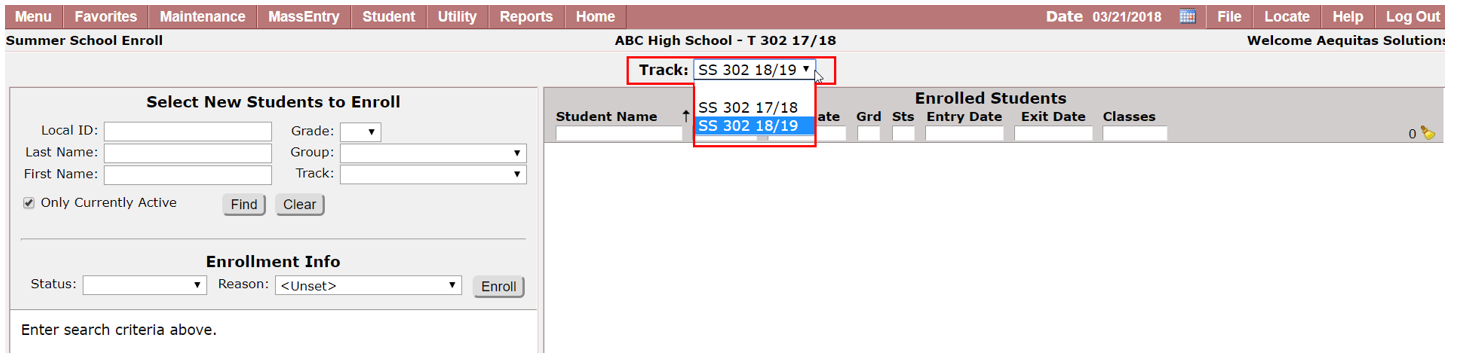
Note:
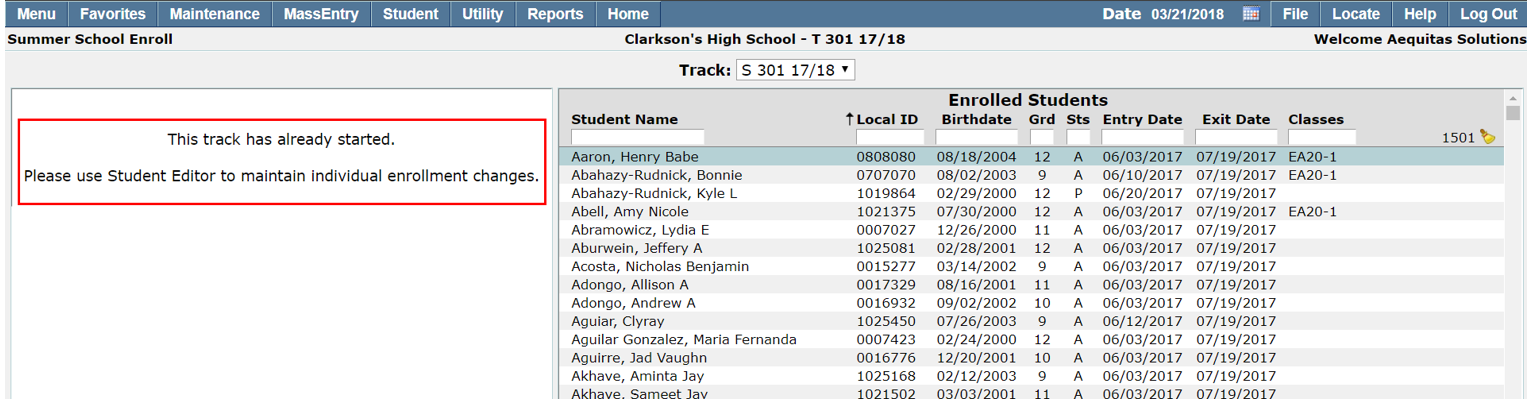
If you select a summer school track that has already started, you will get a message stating this track has already started and will be directed to then utilize the Student Editor as seen below:
Searching for Students
You can search for students by grade, track, group, local ID, or first name/last name. We currently limit the students returned to 1,000 students to allow one to search for an entire grade level at a particular track.
There is an option to define whether you want the search results limited to only return Currently Active students based on the selected search criteria. This option is defaulted on.
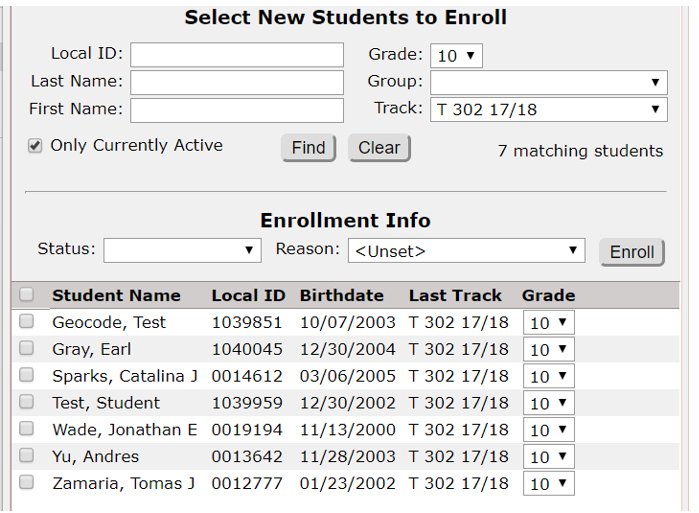
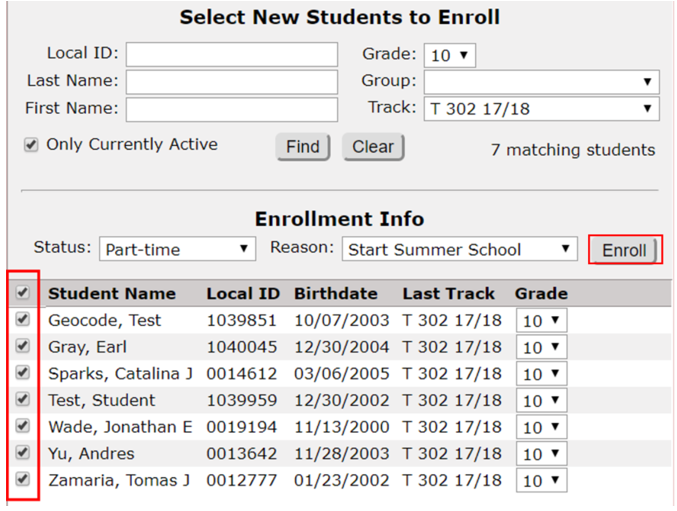
Once “Find” is selected, students are returned based on the search criteria, and we display the last track the returned student was enrolled at, as well as a guess as to what grade the student will be in based off the setup for the summer school track (extension of the current year, or beginning of the next school year). Note, this value may need to be adjusted on a student by student basis and is editable when enrolling the student:
You will then select an enrollment status as well as an entry reason.
Note:
If you select the status to be Active, and a given student has an active enrollment record which has dates that conflict with the term dates for the selected summer school track, that student will appear grayed out and will not be able to be enrolled with an Active status into the SS track - see sample below:
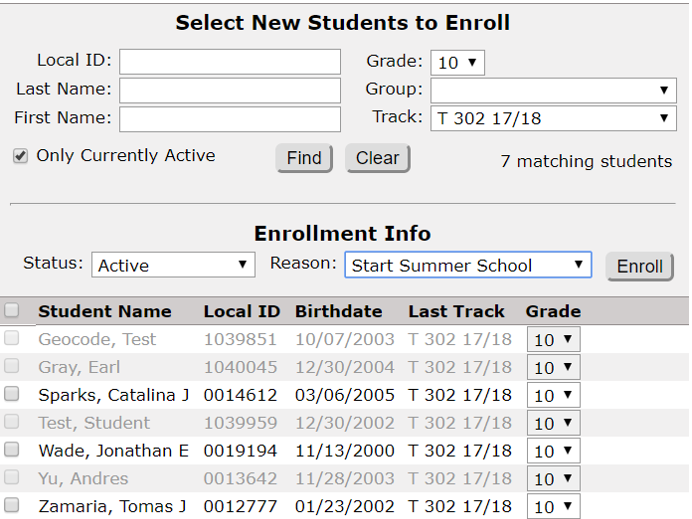
(note only 3 students can be selected to be enrolled into this track)
Enrolling Students
To enroll a set of students, select the checkbox to the left of the student name, adjust grade levels if necessary, and click Enroll:
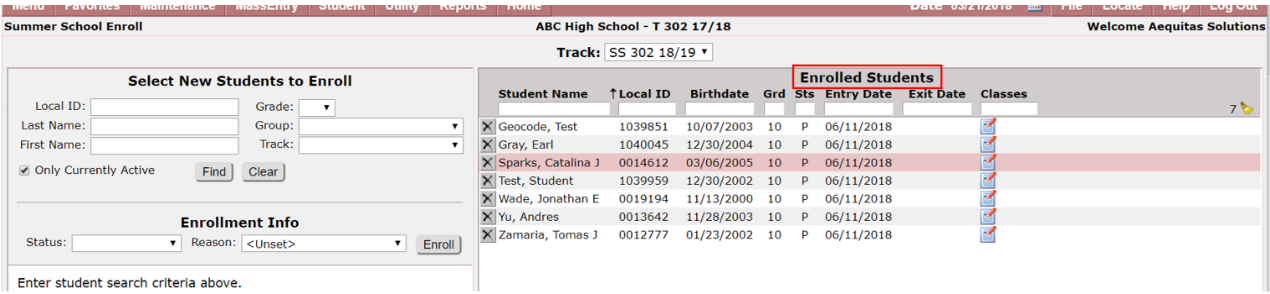
The students will then be moved to the right side under the ‘Enrolled Students’ screen:
Scheduling Students
If a user has scheduling permissions within this application, they will see the notepad icon under the Classes column: 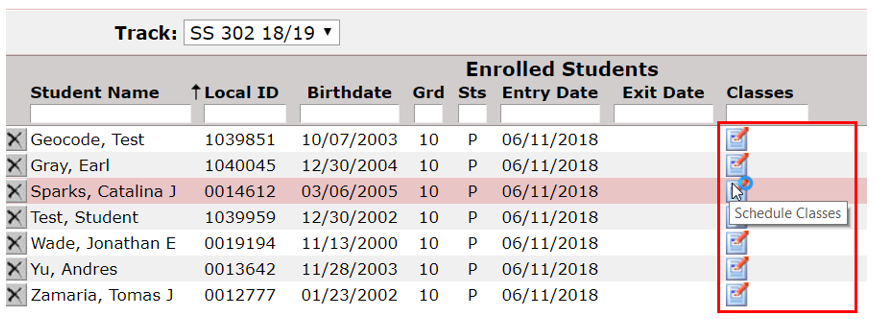
Clicking on this icon will bring up the Student Scheduler screen, allowing a user to schedule the student into a selected summer school course at the same time the student is enrolled: 
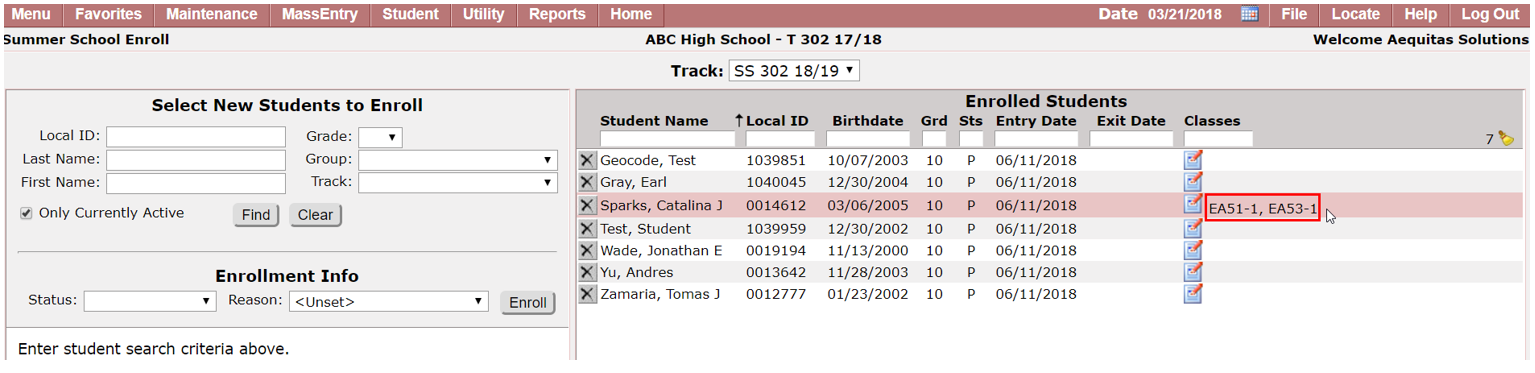
Once a course(s) is selected and submitted, the scheduled classes will then appear on the main screen under the Classes column:
Withdrawing Students
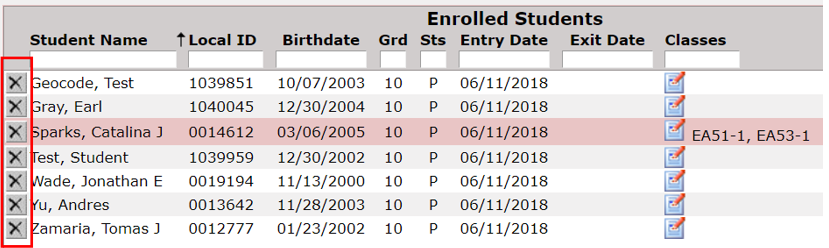
If a student is enrolled using the Summer School Enroll application by mistake, users can easily withdraw their enrollment from within this application as well by clicking the ‘X’ to the left of the student’s name from the Enrolled Students column:
If a student has scheduled classes, a popup will appear notifying that the enrollment as well as the schedule records will be deleted: 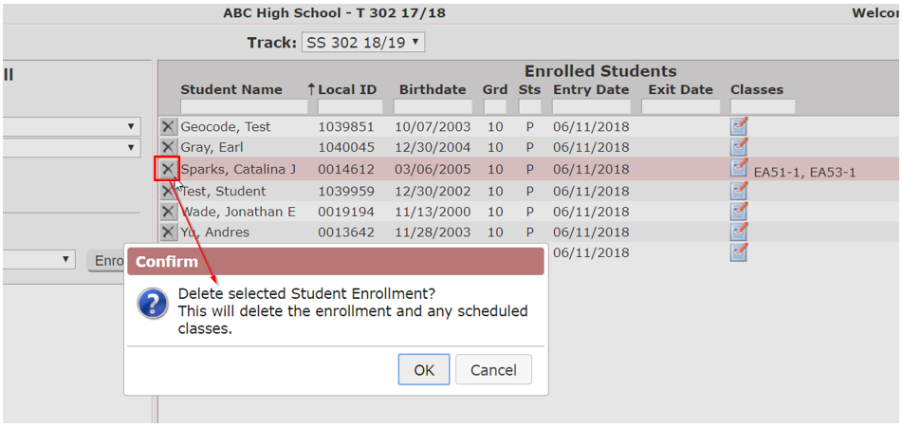
Select OK to proceed, or Cancel to return to prior screen.
There are a few different permissions associated with the new Summer School Enroll application within the Permissions Editor. 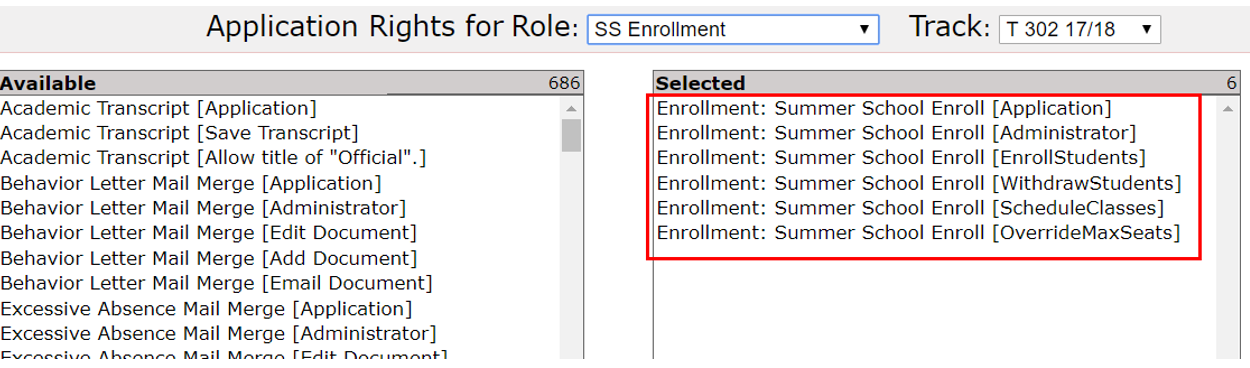
- Enrollment: Summer School Enroll [Application] – gives access to the SS Enroll application itself
- Enrollment: Summer School Enroll [Administrator] – gives access to all SS Enroll permission items without having to assign each permission item individually
- Enrollment: Summer School Enroll [EnrollStudents] – gives a user the ability to enroll students into a selected SS track
- Enrollment: Summer School Enroll [WithdrawStudents] – gives a user the ability to withdraw students from a selected SS track
- Enrollment: Summer School Enroll [ScheduleClasses] – gives a user the ability to schedule students into classes into a selected SS track
- Enrollment: Summer School Enroll [OverrideMaxSeats] – gives a user the ability to enroll a student into a class even if enrolling that student will put the max seats over the max seats availability count
