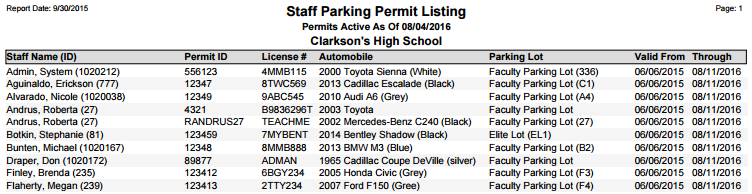
This report produces a list of all Staff issued parking permits, with corresponding Permit and Automobile data.
While details specific to this report will follow, users can find general information about reports within the Reports documentation.
Staff Parking Permit Listing Report is located within Reports in the School menu in Q.
Report Options
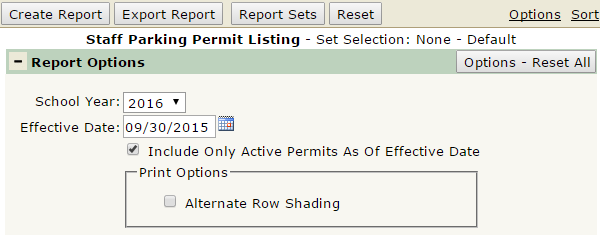
The Staff Parking Permit Listing report offers the following Report Options:
- School Year: Defaults to the current year, select the year of permits you wish to print.
- Effective Date: Defaults to today, enter an effective date if different from today.
- Include Only Active Permits As Of Effective Date: The report defaults to print all parking permits for the selected year, check this box to filter the results.
- Alternate Row Shading: If checked, the report will print shading on every other line, for easier viewing when a large data set is printed.
Example Reports
Report run with default settings, with Alternate Row Shading enabled: