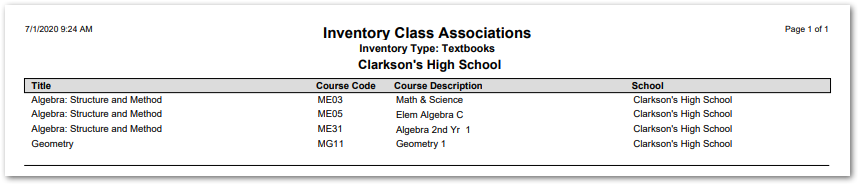
This report generates a list of courses with an associated inventory type. The report includes a description of the inventory type (e.g. computer or textbook), Course Code, Course Description, and School.
While details specific to this report will follow, users can find general information about reports within the Reports documentation.
Inventory Class Associations Report is located within Reports in the School menu in Q.
Report Options
The following options may be applied to the report:
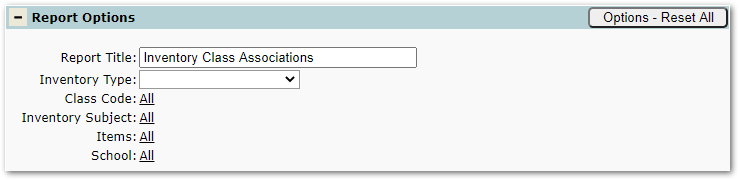
- Report Title – The default title of the report is “Inventory Class Associations” but may be edited by the user.
- Inventory Type – The list populates with the types created using the Inventory Setup App.
- Class Code – The list of classes populates based on the selected Inventory Type.
- Inventory Subject – The list of subjects populates based on the selected Inventory Type.
- Items – The list of items populates based on the selected Inventory Type.
- School – The list of schools populates based on the selected Inventory Type.
Example Reports
Sample Inventory Class Associations Report