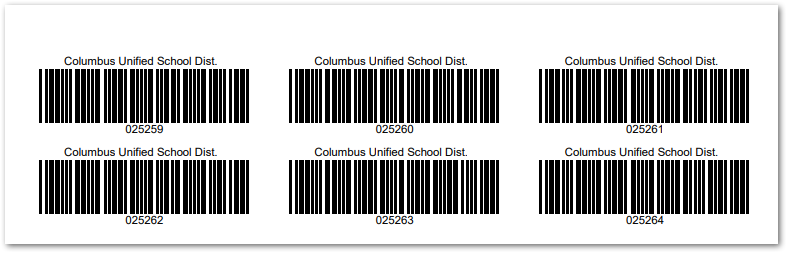
This report generates barcodes that may be printed and applied to physical inventory. A wide variety of barcode types ensures compatibility with most scanners.
While details specific to this report will follow, users can find general information about reports within the Reports documentation.
Inventory Labels Report is located within Reports in the School menu in Q.
Report Options
The following options may be applied to the report:
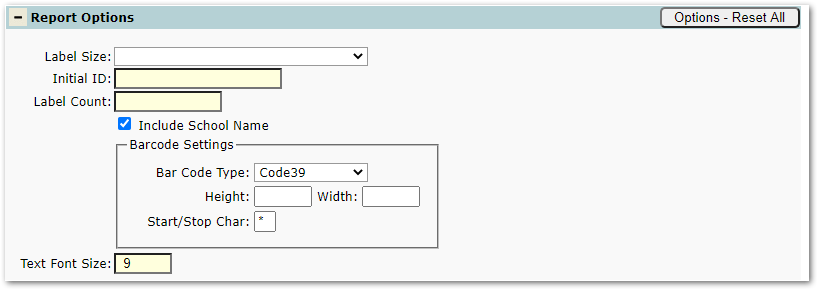
- Label Size– Choose a size to match the print label paper used.
- 3-Column, 30 per Sheet (1" x 2-5/8")
- 2-Column, 20 per Sheet (1" x 4")
- 2-Column, 14 per Sheet (1-1/3" x 4")
- Initial ID – The numerical ID for the first labels. Subsequent labels are incremented by 1.
- Label Count – The number of labels to print
- Include School Name – Prints the school or district name above the barcode.
- Barcode Settings
- Barcode Type – Choose from the list of available barcode types.
- Height/Width – Leave blank to print maximum sized barcodes for the selected label size. To print smaller barcodes, enter values in inches less than the selected label size.
- Start/Stop Char – Enter an appropriate start/stop character for the selected barcode.
- Text Font Size – Size of the font used for the school name and the numerical ID.
Example Reports
Sample Inventory Labels Report