
We made it to the end of the school year!
Are seniors out prior to the remaining student body and you want to get their marks posted and enrollment records closed out prior to processing the rest of the school? No problem!
First up to complete is Marks Processing.
You will want to ensure teachers have final marks entered for all their seniors. Once marks have been entered, a user with permissions to Marks Processing can process these marks to be posted to Transcript.
Note
If processing for Semester 2 and Semester 2 has not yet ended, the user running Marks Processing will need to change their system date to the last day of Semester 2 to be able to select Semester 2 in the terms list to be
Once the term is selected to process, select a track(s) and make all additional desired selections for processing. In the Student or Class Filter (whichever is set to be used for the processing), you can select just grade 12 to be processed, and I suggest setting the Enrollment filter to All Students This Year to ensure if a student left for example the day prior to processing marks, they will still get their marks posted to transcript.
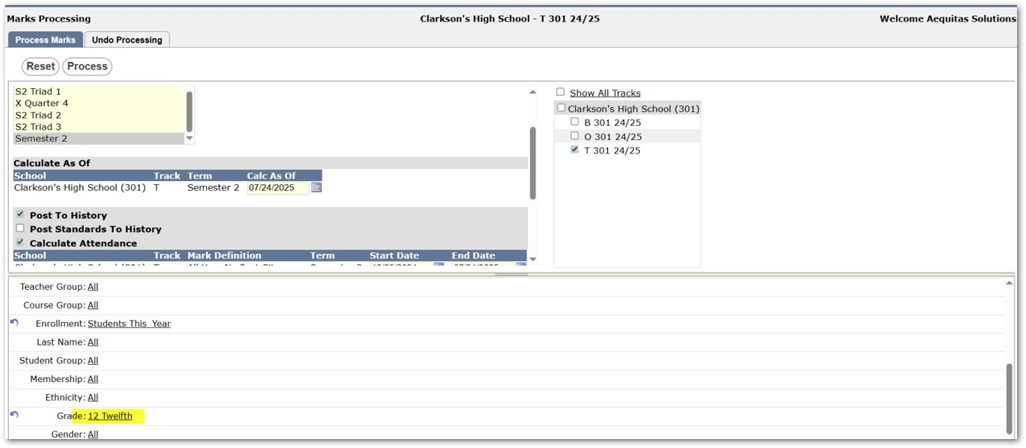
Once all selections are made, select ‘Process’ to complete processing.
Once this has been completed, seniors can have their enrollment records closed out by using the Process Graduates portion of Year End! Selecting the Process Graduates tab in Year End will allow you to close out enrollment records and programs for students who are graduating from the district but will not touch any other students that might still have an active enrollment record (your 9th – 11th graders).
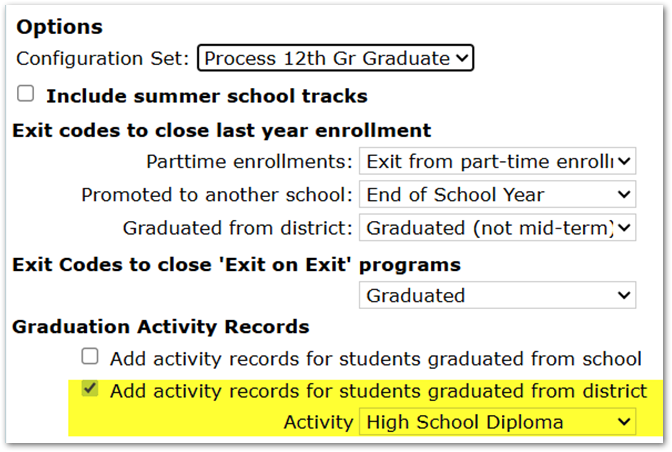
When processing graduates, there are two options to add an activity record for those students being processed:
- Add activity records for students graduated from school – this option can be used when students have reached a promotion grade for a school, but not the district. For example, this can be turned on when students are graduating from middle school and promoting to high school.
- Add activity records for students graduated from district – this would be selected when seniors are graduating from the district and have reached the promotion grade for the district (the promotion grade for your district school record should be set to 12 to ensure seniors are correctly processed as graduating from the district when exiting from 12th grade).
The other main feature that can be accomplished within the Process Graduates tab is the ability to retain students on the fly.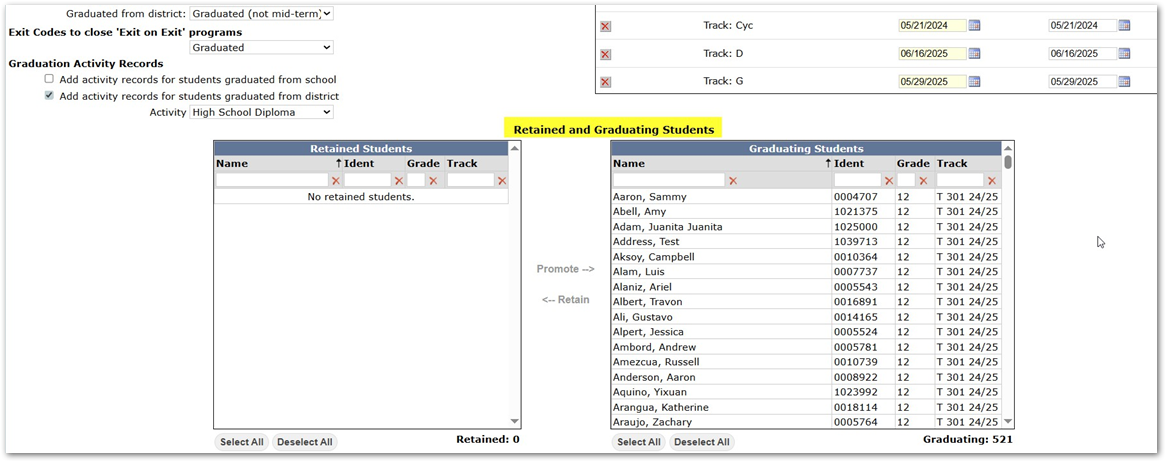
If there are any students on the ‘Graduating’ side of the page that should be retained, you can simply highlight that student and select the ‘ßRetain’ button which will move them to the ‘Retained Students’ box and those selected students to be retained will not be processed as graduating.