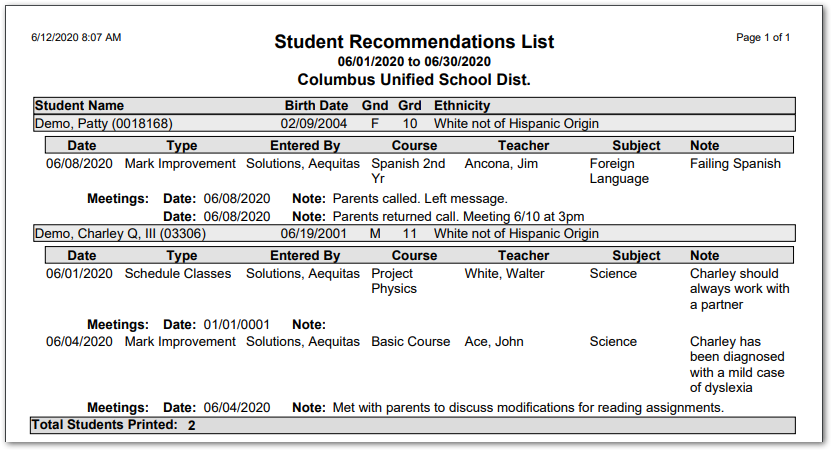
This report generates a list of recommendations recorded for students over a specified date range. The report includes details such as the date, type, course, and subject as well as any recorded notes.
While details specific to this report will follow, users can find general information about reports within the Reports documentation.
Student Recommendations List Report is located within Reports in the Schedule menu in Q.
Report Options
The following options may be applied to the report:
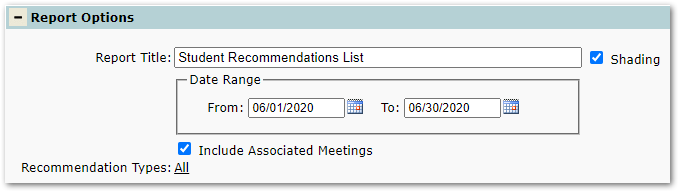
- Report Title – The default title of the report is “Student Recommendations List” but may be edited by the user.
- Shading – Applies a light gray background color to the report header row. Disable to save ink/tonner when printing.
- Date Range – The ‘From’ and ‘To’ dates defaults to the current month but may be changed by the user.
- Include Associated Meetings – Use this option to include any meeting notes associated with a student recommendation.
- Recommendation Types – Choose from ‘Mark Improvement’, ‘Schedule Classes’, or all types.
Example Reports
Sample Student Recommendations List Report