
This report produces a list of Health information for a student, organized by each Q Student Health section as selected by the user.
While details specific to this report will follow, users can find general information about reports within the Reports documentation.
Student Health Profile Report is located within Reports in the Health menu in Q.
The Student Health Profile Report offers the following report options:
- Include Report Sections: Select which health modules you wish to print in the report. Choose from the following list:
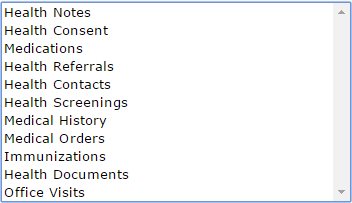
Ctrl-Click to select multiple modules, click done to save your selection.
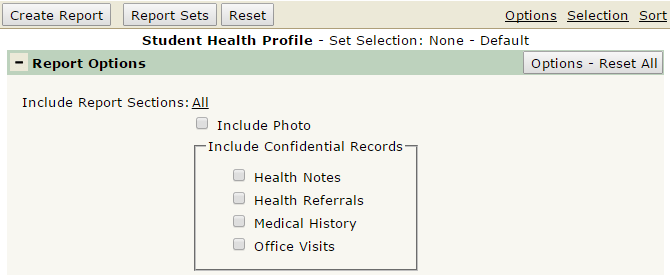
- Include Photo: Defaulted to off, check the box to include student photos at the top of the report.
- Include Confidential Records: 4 sections of the Q Student Health App have confidential records associated with them. Click the check box to include confidential records for any of the following sections: Health Notes, Health Referrals, Medical History, Office Visits.
Report run with default options for one student, no confidential notes displayed.
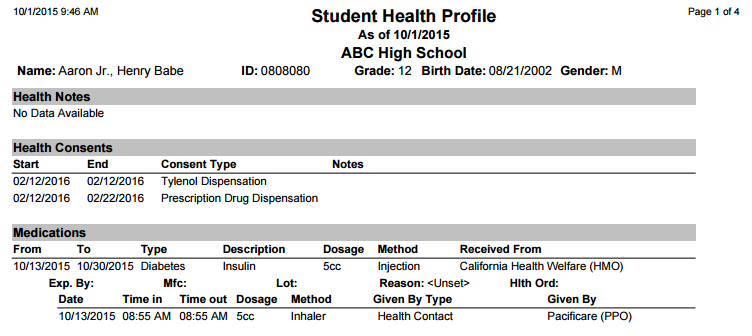
Note: This is only a portion of the report. Printing all sections from Student Health typically makes the report multiple pages long. Selecting to print ALL could result in considerable processing time to run the report.
