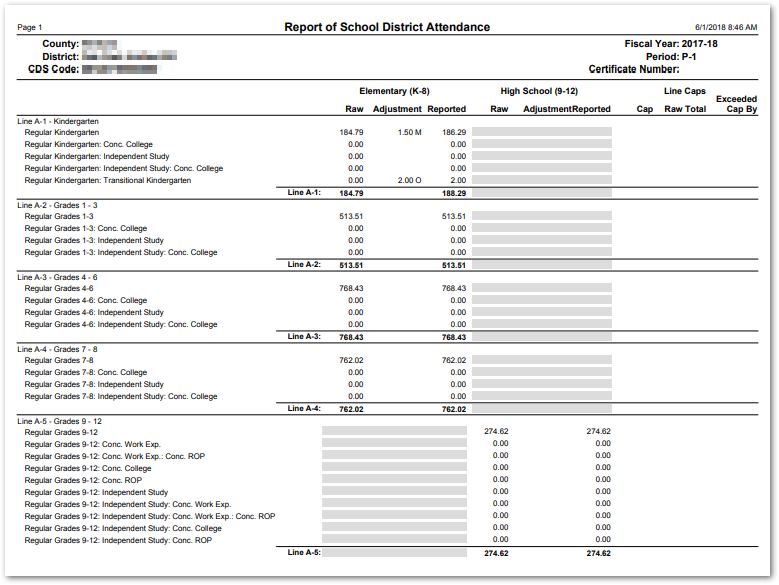
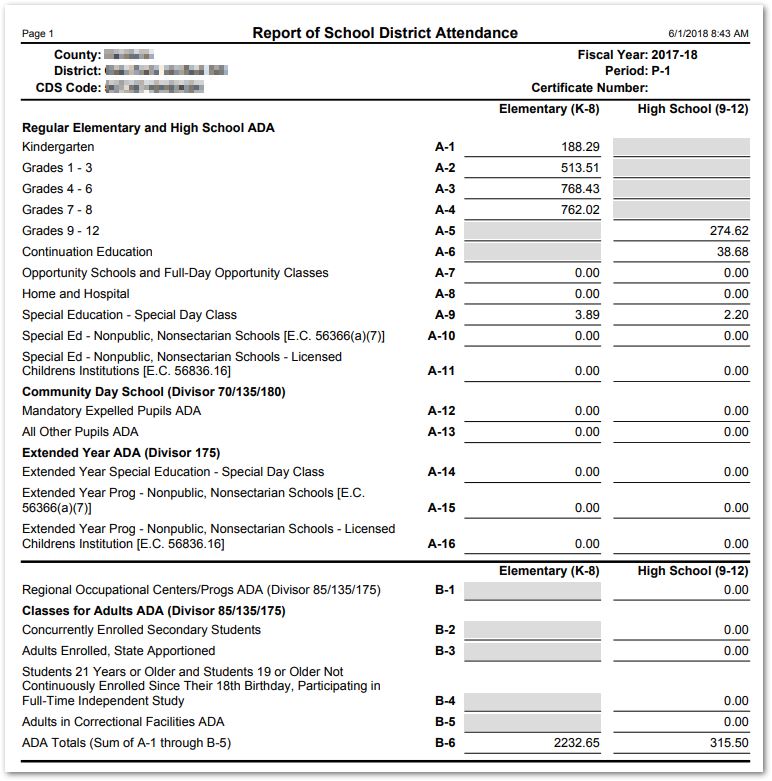
The CA District Attendance CDE Form report is used to preview and/or print a Report of School District Attendance from previously generated report data. There are two report formats: the official CA District Attendance Report (J-18/19 Report) format and a Detail report showing additional information.
The Detail report may also be printed from within the CA District Attendance Report Generation application.
Prerequisites:
- CA District Attendance Report Generation run for the Apportionment period desired for the report. See QWiki for CA Attendance Report Generation for further details.
While details specific to this report will follow, users can find general information about reports within the Reports documentation.
CA District Attendance CDE Form Report is located within Reports in the Attendance menu in Q.
Report Options
From Report Options, select:
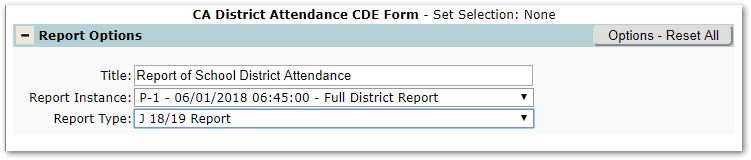
- Title – A default title is provided, but may be changed as desired.
- Report Instance – Select from the possible Report Instances. Note: A Report Instance must be generated using the CA District Attendance Report Generation application for a Report Instance to appear in this list.
- Report Type – Select either J 18/19 Report or Detail Report.
- The J18/19 Report prints the standard CA District Attendance Report format.
- The Detail Reportbreaks out individual categories within each line item displays:
- Raw – base contribution number
- Adjustments – Modified or Override Adjustments made using the CA District Attendance Report Generation application.
- Cap – the cap applicable to the specific category (also displays line-level caps).
- Cap Exceeded By – the excess Raw contribution above the cap.
Example Reports
J18/19 Report Sample
Detail Report Sample