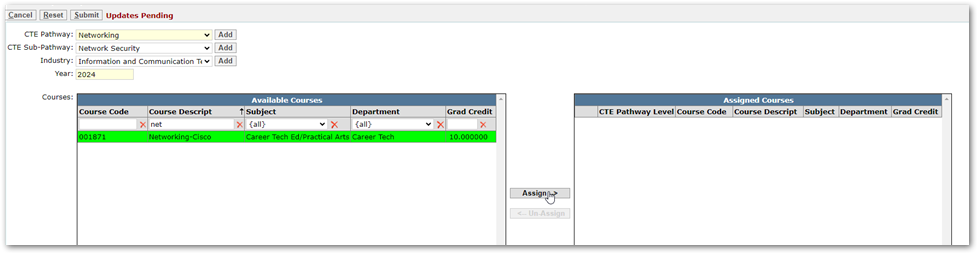
Once you have gotten all your Pathways, Sub Pathways and Industries configured using the Lookup Code Editor. There will inevitably come a time when a new one will need to be added. This is what we will discuss in this QTIP.
If there is another Pathway that needs to be added you can add them through the Lookup Code Editor in the CTE Pathway, CTE Pathway Industry, and CTE Sub-Pathway code Categories. However, there is an even more convenient way to add to these lists and that is within the CTE Pathways Setup application.
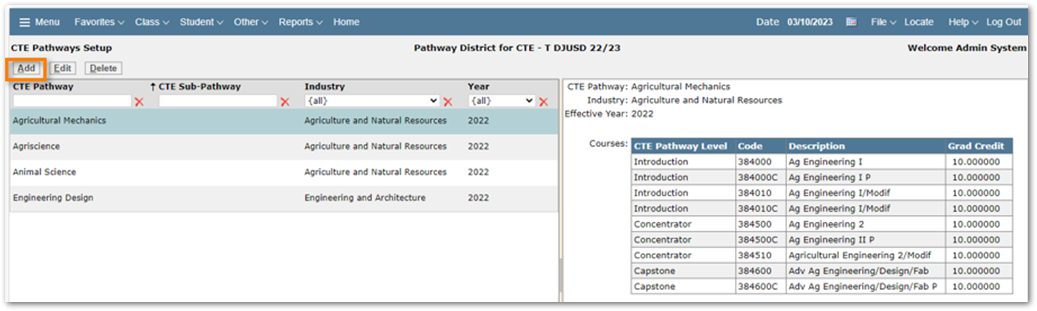
In CTE Pathways Setup Select ADD
Next to the Pathway, Sub Pathway, and Industry dropdowns there is an ADD button. Click that button and In the Popup window assign a code, and Display Text (Name to show everywhere). In the below example we are adding a new Sub Pathway.
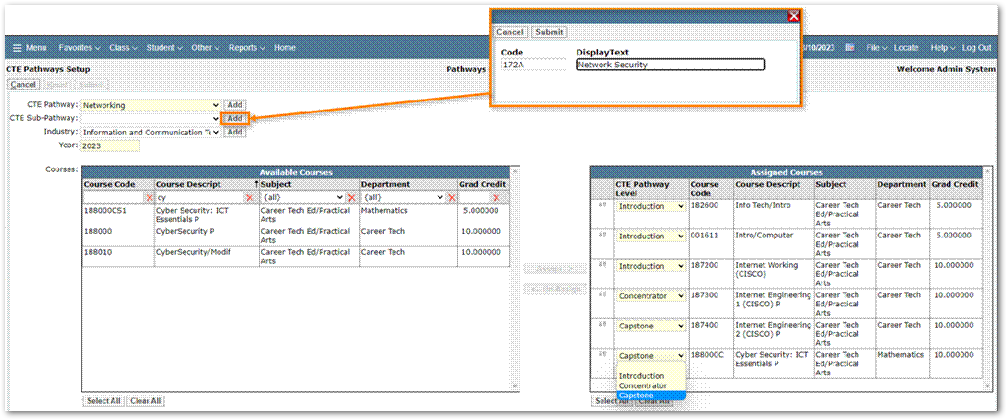
Once submitted you can begin adding courses to the new Pathway.