
The counselor list is a report that prints a listing of student counselors and advisors and the students assigned to each counselor or advisor.
While details specific to this report will follow, users can find general information about reports within the Reports documentation.
Counselor List is located within Reports in the Enrollment menu in Q.
Report Options
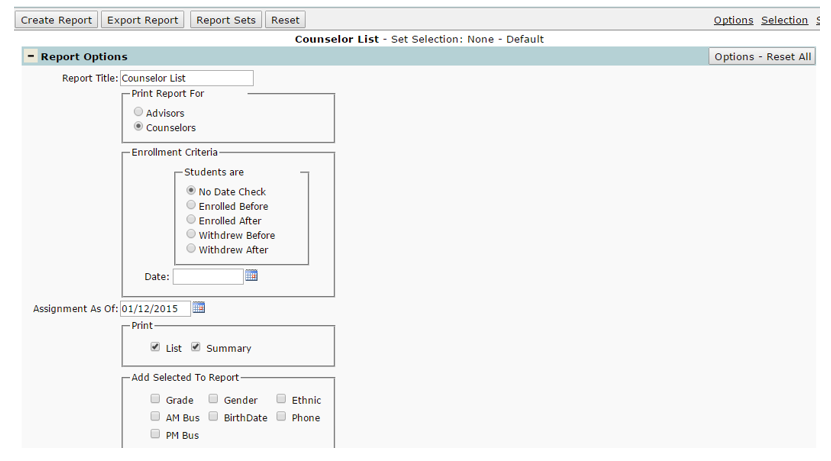
- Report Title: The default Report Title is ‘Counselor List’, but a user-defined title may be entered.
- Print Report For: Users can print the report for either counselors or advisors.
- Enrollment Criteria: Options allow for selecting enrollment and/or withdrawal date cutoff points, as well as a no date check option.
- Assignment As Of: Users can select a date which they want the students to be assigned to that counselor/advisor as of.
- Print: Users can print a List or a Summary (or both). If Print Summary is selected, student distribution per advisor/counselor by Grade, Ethnicity and Gender will be provided.
- Add Selected To Report: Users have the option to add Grade, Gender, Ethnicity, AM Bus, PM Bus, Birth Date, and Phone fields to the report.
Example Reports
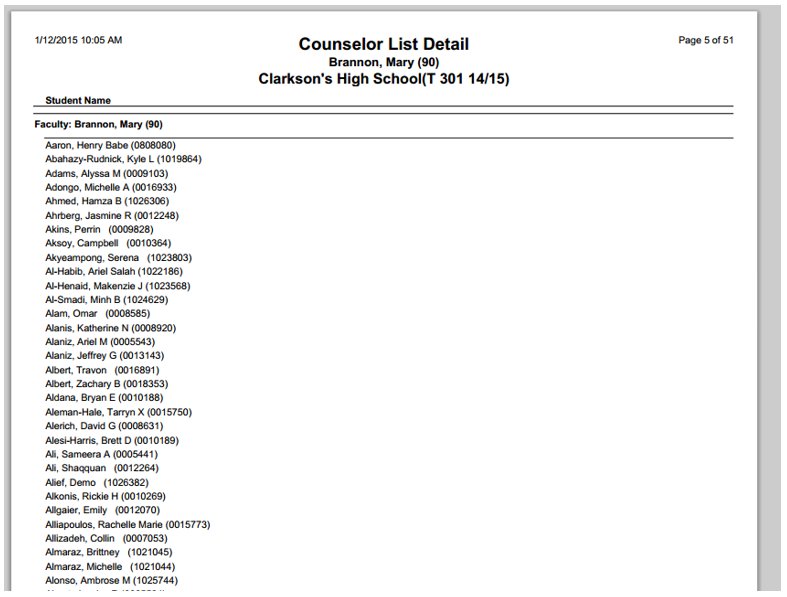
(Sample Counselor List Report)
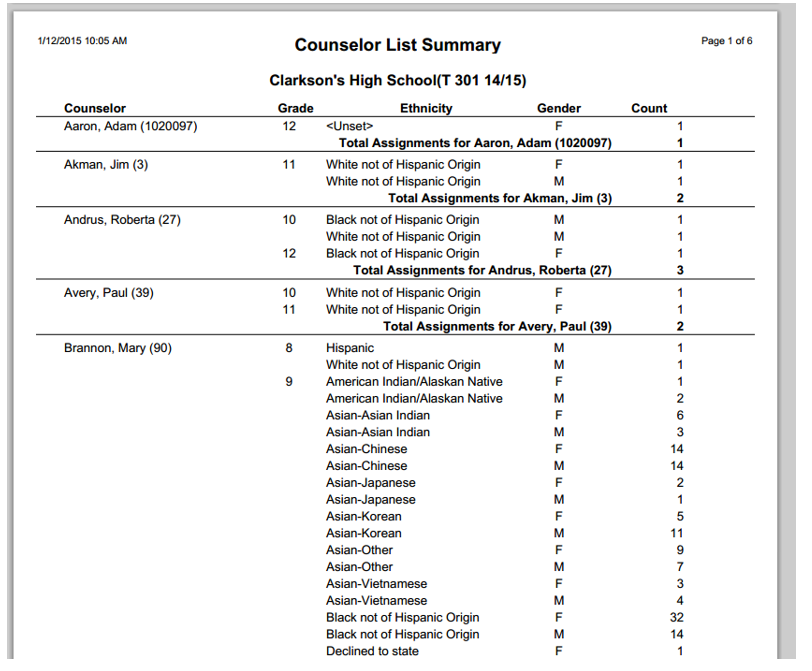
(Sample Counselor List Summary if Summary option is checked ON)
