
This application enables the user to select a health screening test and record a set of screening results for students on a per class or a per group basis. A fill-down function facilitates batch-assigning of default screening result values to all members of a class or student group, with the ability to edit the roster for exceptions.
The Class Health Screenings application generates health screening records that can be read and edited by the Student Health Screenings application as well.
Class Health Screenings is located under the Health menu in Q.
The Class Health Screening application is a Banner application. You may search for a class in the application by using the arrow keys or the find function, searching by a teacher’s last name, first name, course code, course title, track, term, period, or group.
- Locate the desired class using the arrow keys or the Find feature.
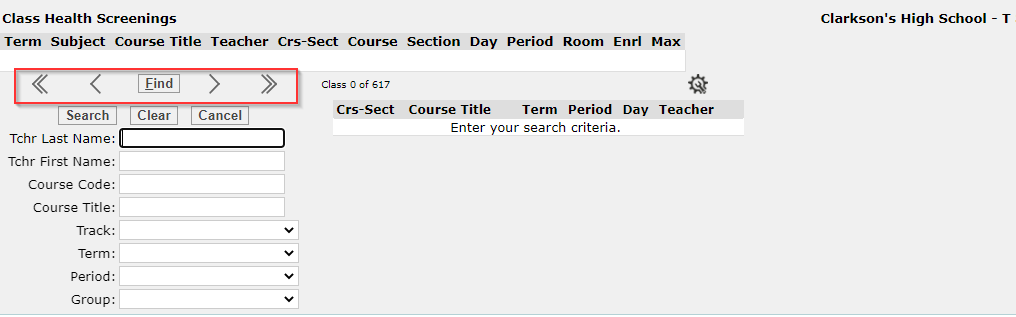
- Once a class has been selected, select a screening type and click Build List. A list of all students enrolled in the selected class will be displayed.
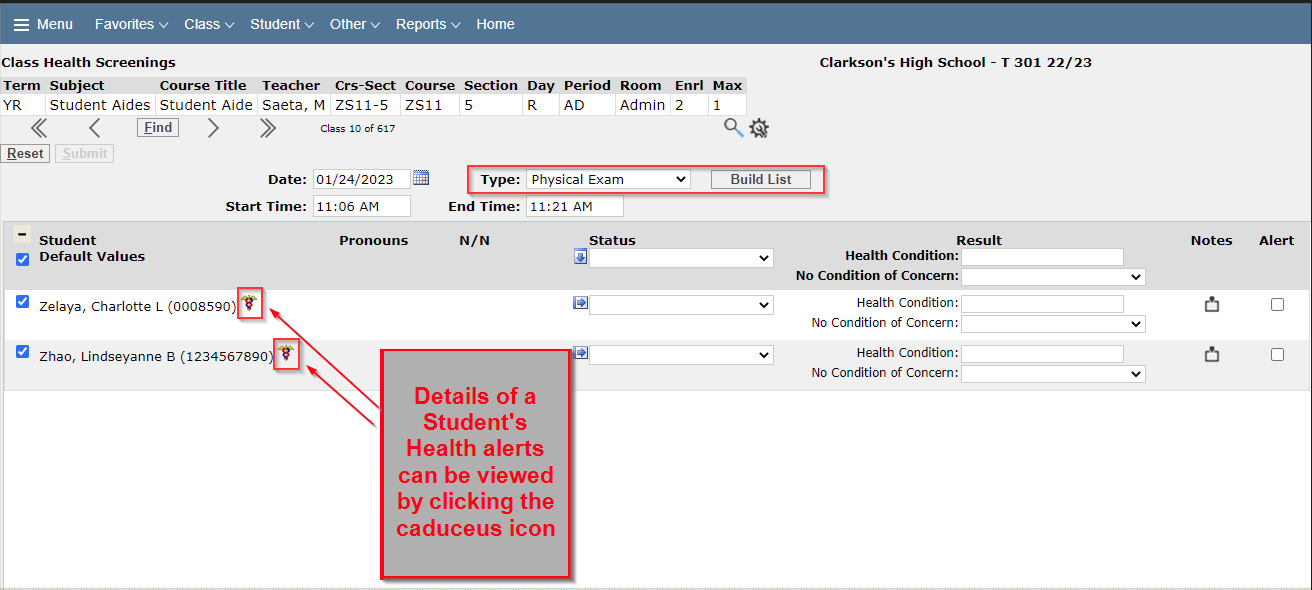
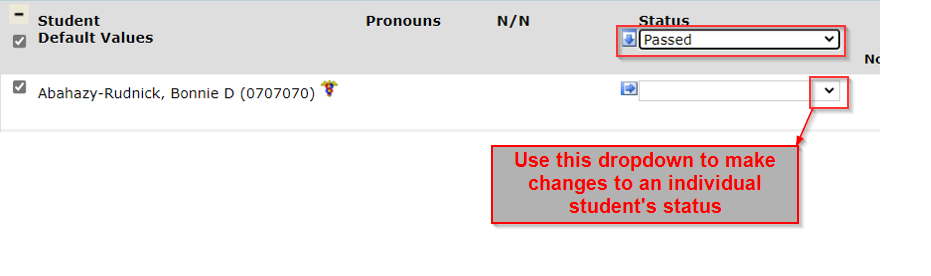
You can select to enter individual status records for students, or select to mass fill values for multiple students at once. If the mass fill option is used and not all values are correct for all students, a change can be made for a few students at a time. To make the desired changes, select the dropdown box in the cell next to the student’s name under the Status header and update the value(s) as needed.
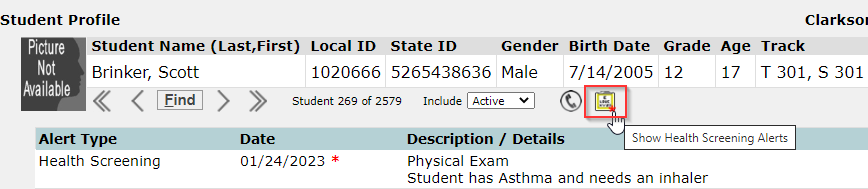
Notes pertaining to the screening can be entered and a health alert created. Hover over the notes icon to view details. Enable the Alert checkbox to display an alert icon in the Student Profile for the selected student.
Class Health Screenings entry flagged as an alert with notes describing the condition.

Student Profile with alert icon displayed. Click the icon to view details for the condition.
Once all details for the screening have been entered, click Submit or click Reset to clear all information and return to the previous screen.
Class Health Screenings that have been added for students can also be viewed in the Student Health Screenings application on an individual student basis.
