When schools use Advisory Schedules to schedule advisory meetings, Advisory Class Attendance is used by teachers to record the attendance of students in their advisory meetings.
The attendance taken in the advisory meeting may be posted back to the student’s scheduled class for the period based on a district preference. With the preference turned on, if the student attends a meeting with another teacher who takes attendance, their attendance will be posted back to their home advisory class, scheduled in the period. If they do not have a regularly scheduled class in the period, no attendance will be posted back. Office attendance updates to the scheduled period class attendance will not be visible in Advisory Class Attendance.
Advisory Class Attendance is located under the Attendance menu in Q.
In Advisory Class Attendance, teachers will see the roster of students assigned to the advisory meeting for the meeting date. The students in the roster may be both those assigned by the teacher and those who signed up themselves through Student Connection. See Advisory Schedules for more information. 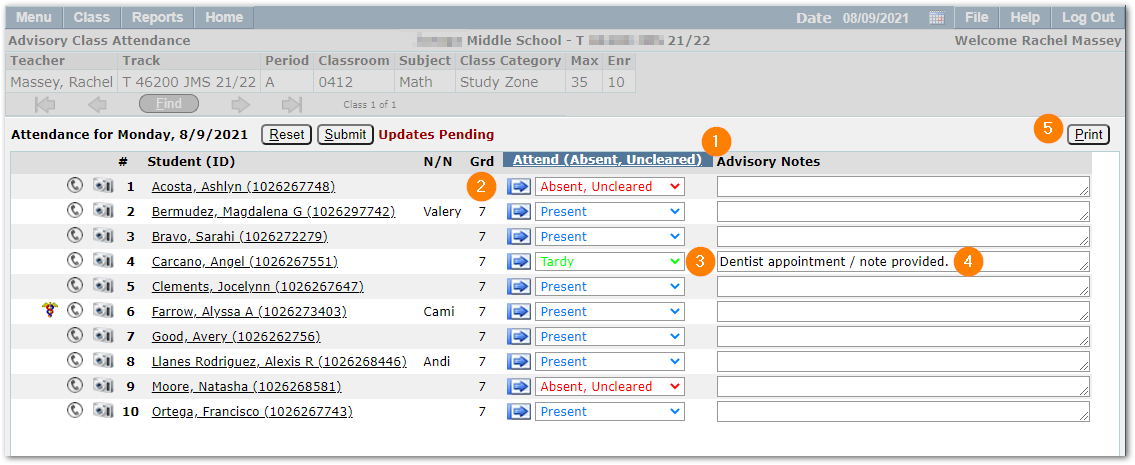
Taking attendance in this application is similar to the Class Attendance application:
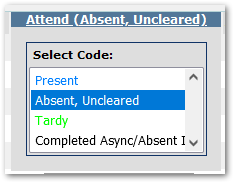
- A default attendance code appears in the column heading. Click the link to select a different code to use when recording attendance. For teachers, only codes identified as ‘Teacher Entry’ codes will appear in the list.
- Use the blue arrows to set the attendance code shown in the column heading as the individual student’s attendance for the meeting.
- Alternatively, select a student and use the drop-list for the individual student’s attendance to select a code.
- Enter any Advisory Notes. These notes are not the same as Attendance Notes and will not appear as Attendance Notes. They will appear on the report accessible from the Print button in this application.
- Click Print to print a report of the meeting attendance recorded with a signature line.
Note:
If all students are present, be sure to click submit to record the attendance.
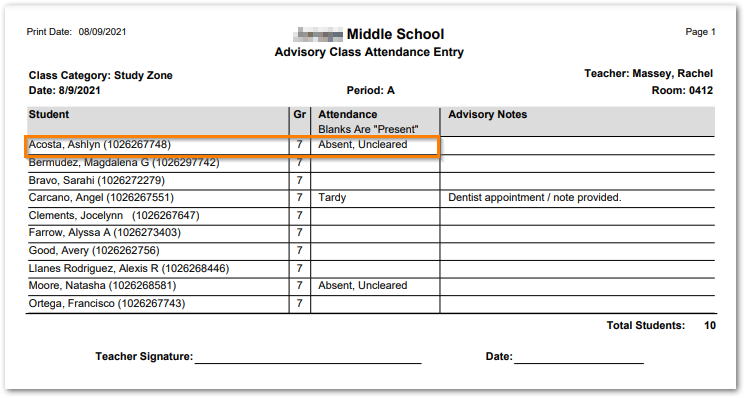
When the preference to post attendance for the advisory period back to the student’s scheduled period is turned ON, then the attendance recorded in advisory meetings will appear in the student’s scheduled class for the period.
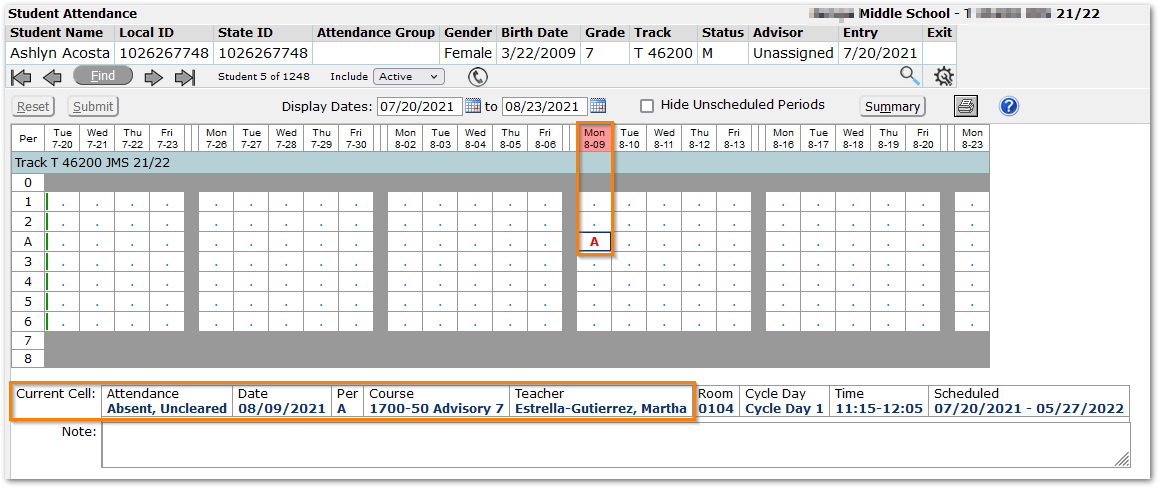
In this example, the student Ashlyn Acosta was marked ‘Absent, Uncleared’ in the advisory meeting by teacher Rachel Massey. This is visible in the printed report above. In Student Attendance, for the same date (8/9), the student has an ‘A’ in the A period. Note in the Current Cell detail in the image above, the ‘A’ attendance code is shown as ‘Absent, Uncleared’ and the Teacher of the student’s scheduled class in the A period is Estrella-Gutierrez, Martha.
Note:
When the office updates a teacher-entered absence, as shown below where the office entered an ‘S’ for ‘Sick, Doctor Appointment, the change is not visible to the teacher in Class Advisory Attendance where the attendance remains as entered by the teacher.
Note:
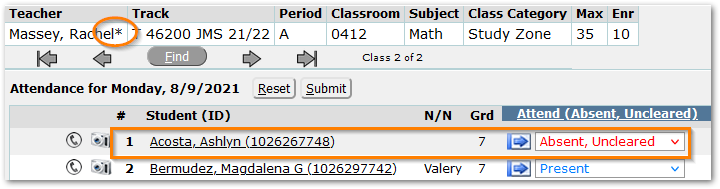
An asterisk appears in the banner indicating that attendance was taken for the class meeting.