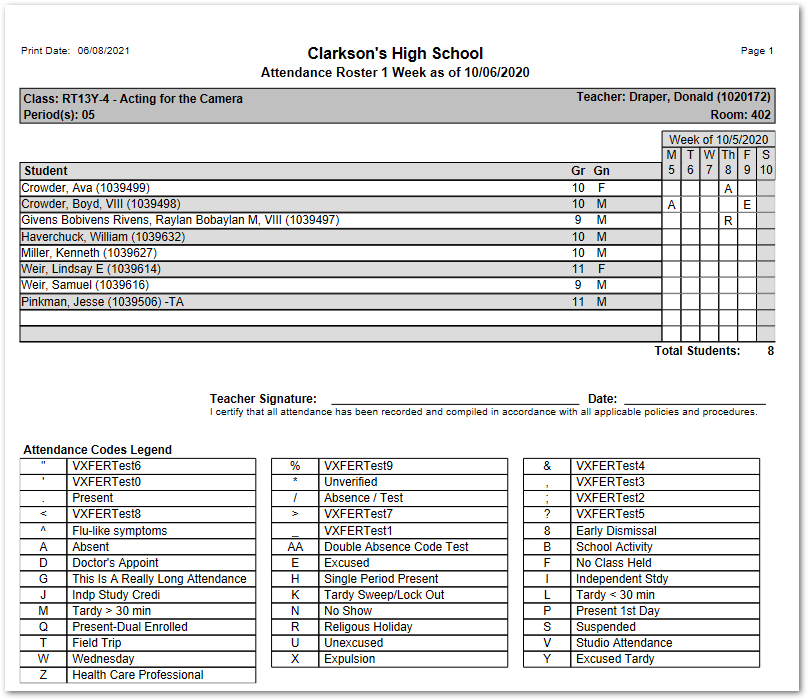
The Attendance Roster 1 Week report produces a one-week class roster starting with the user defined date. The report may be printed to show existing attendance data for students, or as a blank attendance roster.
While details specific to this report will follow, users can find general information about reports within the Reports documentation. Most reports also include selection filters, and users can learn more about them in the Selection Filters documentation.
Attend Roster 1 Week is located within Reports in the Attendance menu in Q.
Report Options
The Attendance Roster 1 Week offers the following options: 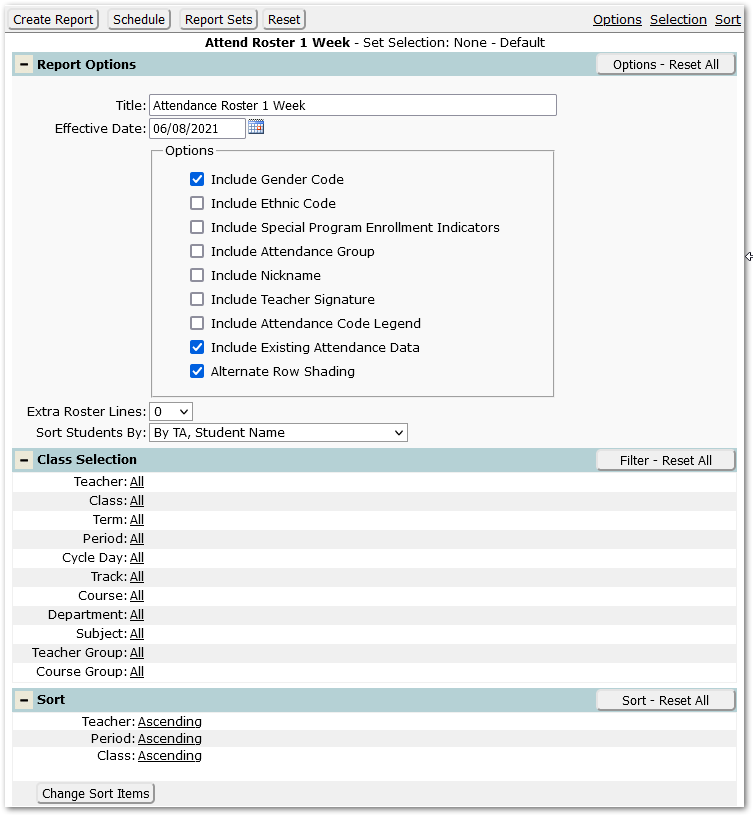
- Title – Defaults to Attendance Roster 1 Week but may be changed by user.
- Effective Date – Defaults to the system date but may be changed by typing in desired date or using the popup calendar to select a date.
- Include Gender Code – Defaults on to include Gender code but may be unchecked.
- Include Ethnic Code – Check this box to include the student’s ethnic code on the report.
- Include Special Program Enrollment Indicators – Check this box to include student Special Program indicators.
- Include Attendance Group – Check this box to include the student’s Attendance Group.
- Include Nickname – Check this box to include the student’s nickname.
- Include Teacher Signature – Check this box to include a line for the teacher’s signature.
- Include Attendance Code Legend – Check this box to print an Attendance Code Legend on the report for each class.
- Include Existing Attendance Data – This is checked by default and will print codes for any existing attendance in the 1-week date range starting with the specified effective date. Uncheck this box to print an attendance class roster with no attendance codes.
- Alternate Row Shading – Click this box for shading on alternate students.
- Extra roster lines – Set the number of additional blank roster lines to print on the report.
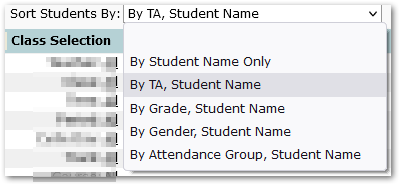
- Sort Students By – select the desired order for the sorting of student names:
- By Student Name Only
- By TA, Student Name
- By Grade, Student Name
- By Gender, Student Name
- By Attendance Group, Student Name
Example Reports