
There are certain situations when it’s important to be able to pre-schedule specific students in certain sections of a course and make sure that, regardless of how many times the loader is run, the student will stay there and not be moved. To do this you can use the ‘Pre-Schedule’ option. You may preschedule students one at a time using the Student Schedules application or you may use the Mass Schedules application to preschedule multiple students.
Pre-Schedule an Individual Student
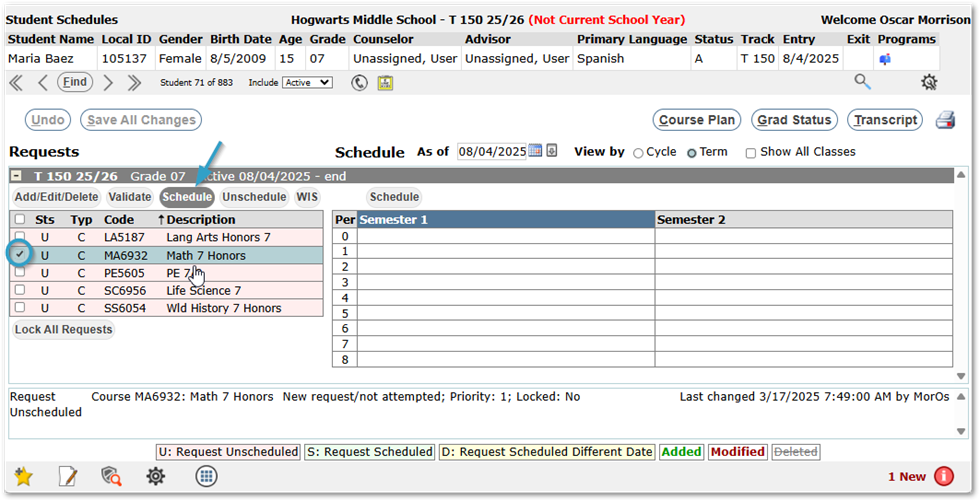
Use the Student Schedules application to preschedule a single, selected, student:
- If scheduling using requests, select the request from the left column and click the Schedule button above the column.
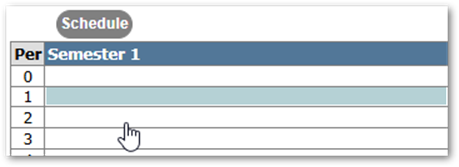
- If scheduling directly into a period, select the desired period on the right side and click the Schedule button above the grid.
- In either case, from the Section Scheduler screen, check the Add column for the desired section.
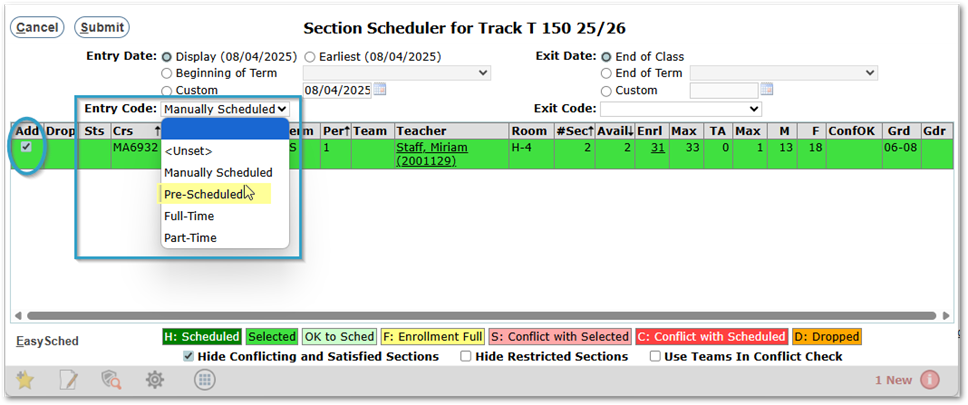
The row will change to bright green indicating the course has been selected.
- Select the Entry Date.
- Change the Entry Code to Pre-Scheduled and click Submit.
- Our course now appears on the student’s schedule in green font indicating course has been added.
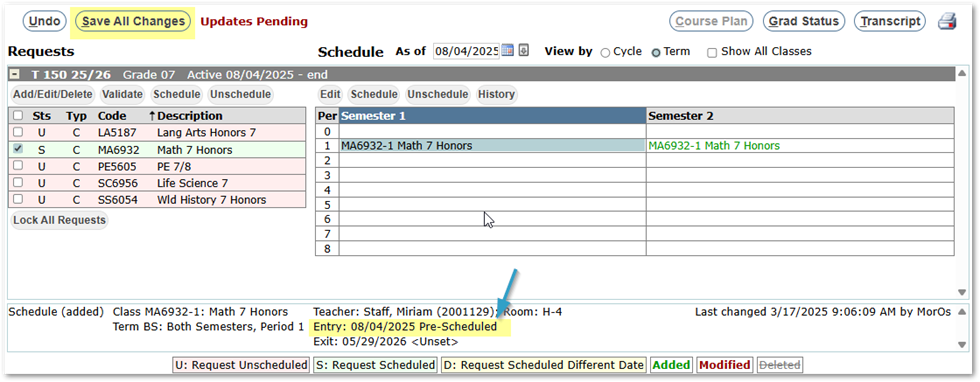
- Click on the scheduled section and review the information at the bottom of the screen for the class ensuring that the entry code is ‘Pre-Scheduled’.
- When complete, make sure to ‘Save All Changes’.
With the entry code for the class as ‘Pre-Scheduled’, the student will remain in this section no matter how many times the Loader is run.
Mass Schedules
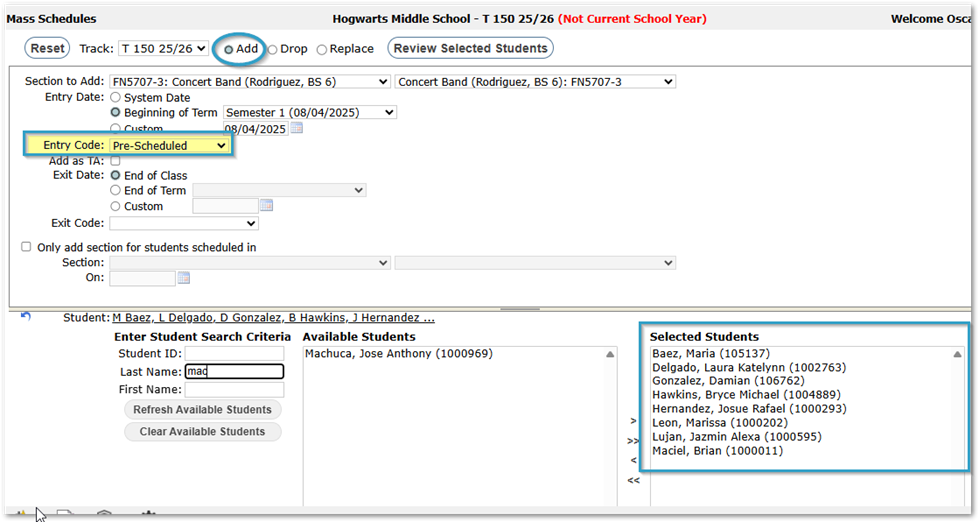
The Mass Schedules application may be used if you have multiple students to pre-schedule in a class.
- Launch Mass Schedules
- Select Add
- Select the Section to Add
- Set the Entry Date
- Select desired students using the Student Selection filter.
- Review selected students, adjusting as needed.
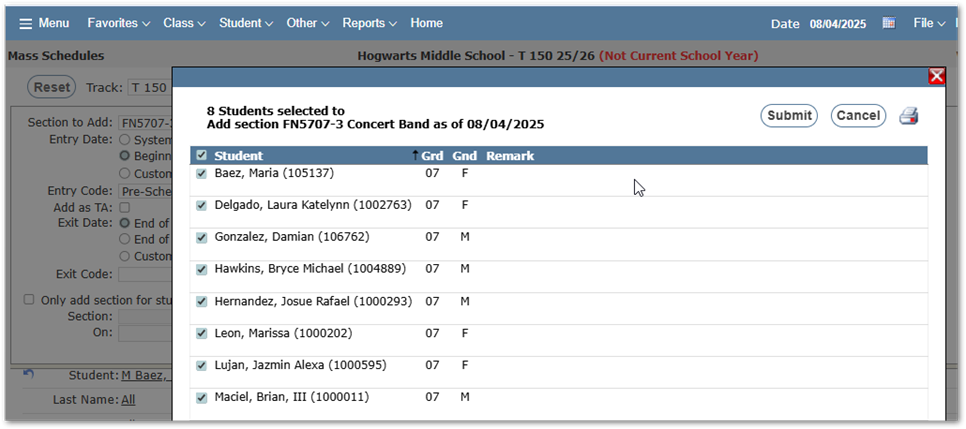
- Click Submit
- Students are prescheduled in class.
- Use Student Schedules application to review the results.
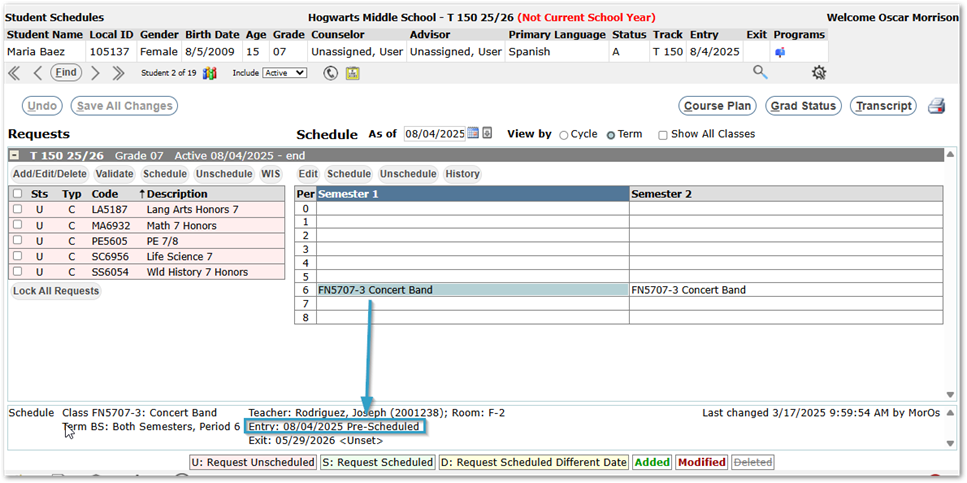
As long as a student’s entry code into the class is ‘Pre-Scheduled’, the Loader will not touch the student.
To release a pre-scheduled student and allow the Loader to reschedule them, change their entry code into the class and the next time the Loader is run, they will be rescheduled.