
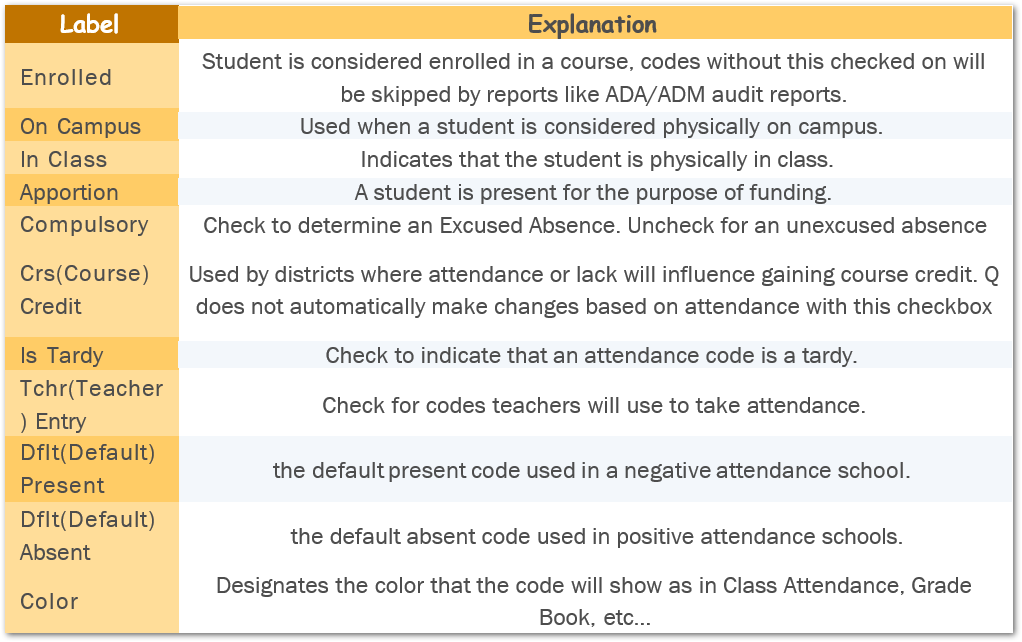
From time to time, you may need to add new Attendance Codes and review existing ones. When that time comes it is good to have a reference to what each box in the Grid means.
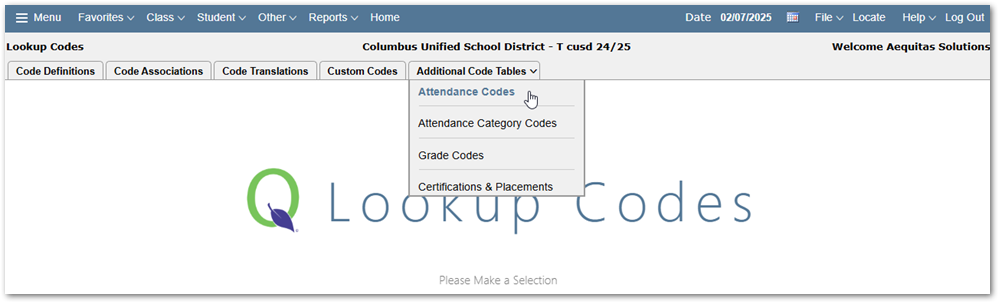
To Access your district Attendance Codes, you will need to access the Lookup Code Editor found in the Systems Menu. Attendance Codes are found under the Additional Code Tables tab on the right.
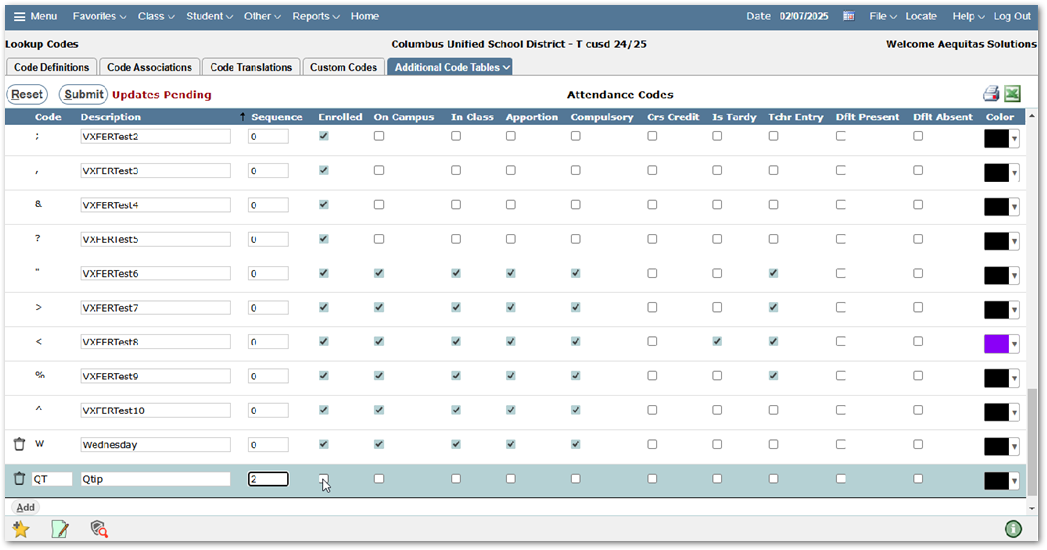
To add a new Code click Add at the bottom of the page. Then provide a Code or one or two digits (alpha numeric and symbols), Description, Sequence that you would like the code to show in a list, and then choose how the code should be treated by the system.
Below you will find a grid highlighting what each checkbox means.
At the top Right you can print the codes or export the full list to Excel.
