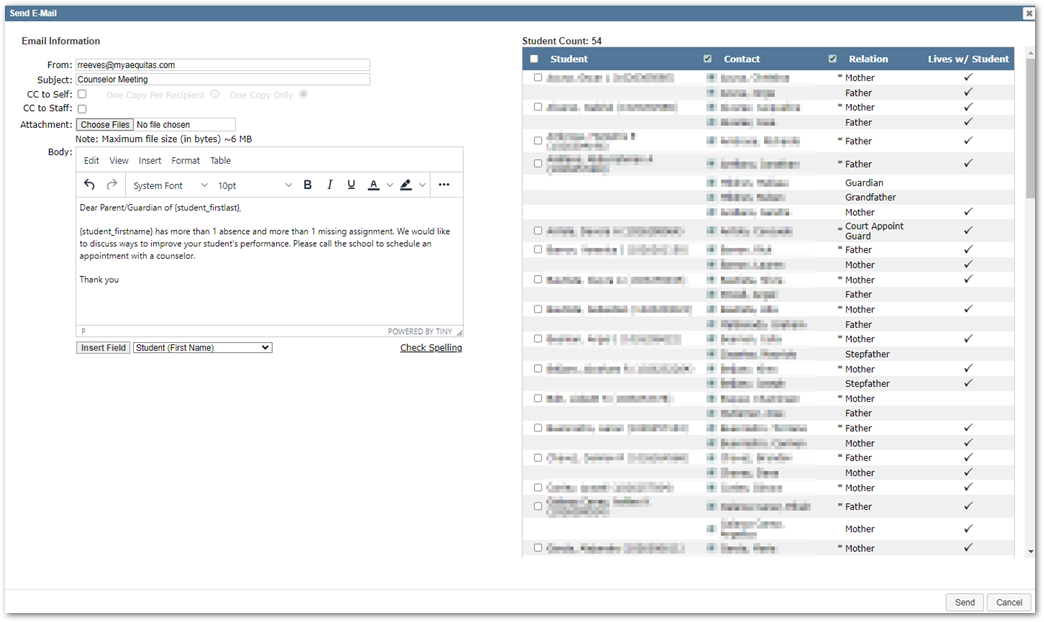
Some dashboards in Q Analytics have an option to email students and parents. This can be a useful alternative to other email applications because of the unique student selection filters available in Q Analytics.
Permissions
Newer versions of Q Analytics have two permission options that must be enabled for users to see the email icon.
The first permission option controls whether email will work for any user at the site. This can be found in Q Analytics > Setup > Sites > Enable E-Mail from Dashboards. Be aware that access to the Setup tab requires the [Q Analytics Admin Setup Access] permission item.
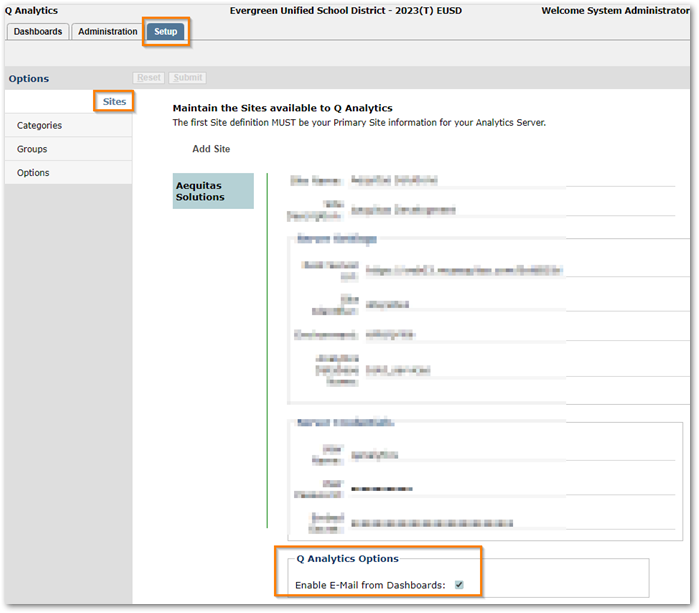
The second requirement is that the user must be in a role with the [Q Analytics Dashboard Email Enabled] permission item:

Select Students/Send Email
If a user and site have the above permissions, they will see an email icon at the top-right of the screen. In the following example, I have selected a grade filter as well as Missing Assignment Count and Absent Count filters:
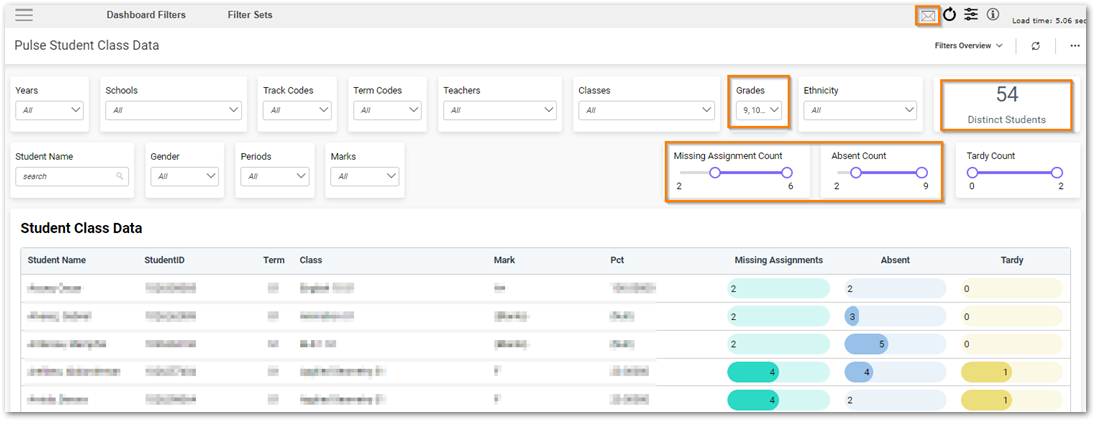
When you click the email icon the Send E-Mail interface will display (the distinct student count must be less than 500 to send emails or you will receive a pop-up telling you to reduce the number of selected students). For more information on the Send E-Mail interface, see the Mass Email article.