
Have you recently run Report Cards in a different language and found that Standards/Benchmarks are still presenting in English? During this time of year we receive lots of requests for help with this very issue.
Good News! Today’s Q-tip highlights where to go to adjust this, and its as Easy as 1-2-3!
1.
2.
3.
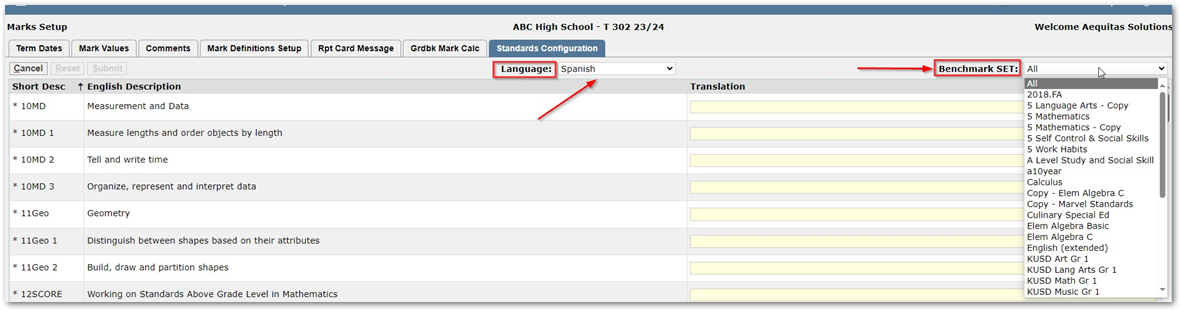
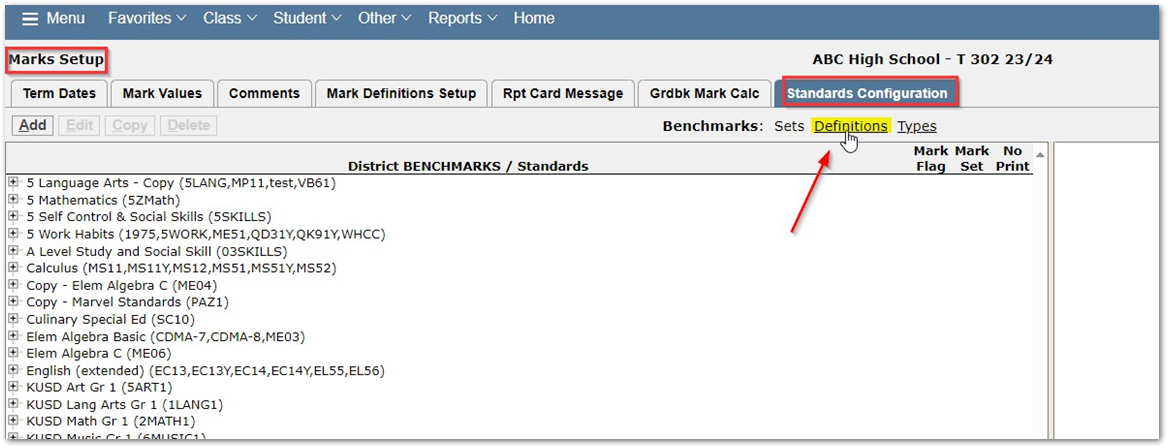
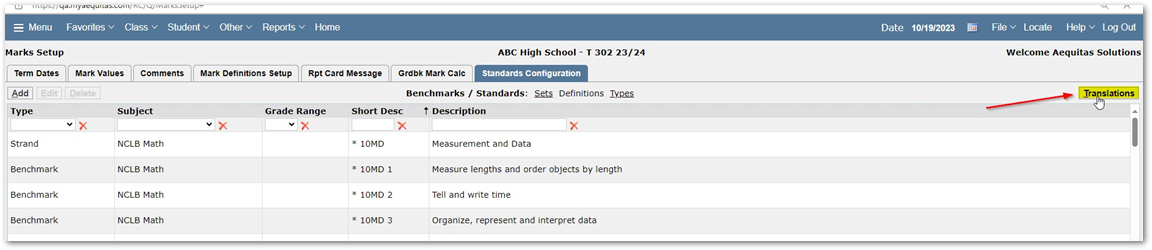
Translations for standards is located in the Marks Setup app under the Standards Configuration tab. When you click on Standards Configuration tab you will then click the 'Definitions' option next to Benchmarks. Once you are in the definitions area of standards, you will see a 'Translation' button located on the top right. When you click on Translations you will be taken to the area where you choose the language and standard set you wish to translate.