
Do you get given a list of students to get a program, activity, visit, or other mass add. Wouldn’t it be great to just take that list of Student IDs and just upload them and use them? Wouldn’t also be great if this could be a tool that any user could easily use?
In the Process Manager application under Data Imports, we have a great Q toolbox tool for you. Called Group Import.
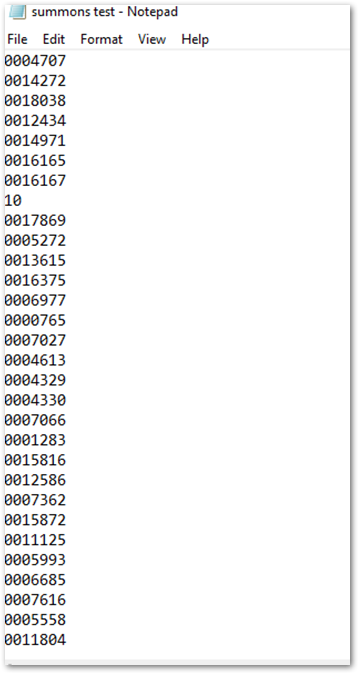
First using a program like Notepad, or Excel create a list of just Student IDs and save the file as a .CSV.
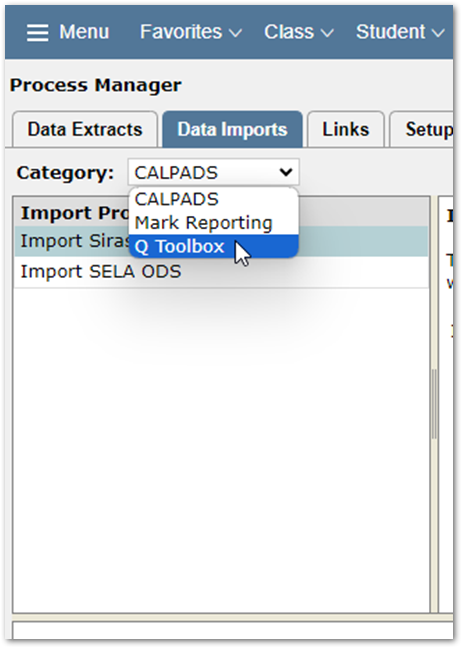
Then navigate to the System Menu and open the Process Manager application. Select the Data Imports tab and choose Q Toolbox from the dropdown menu.
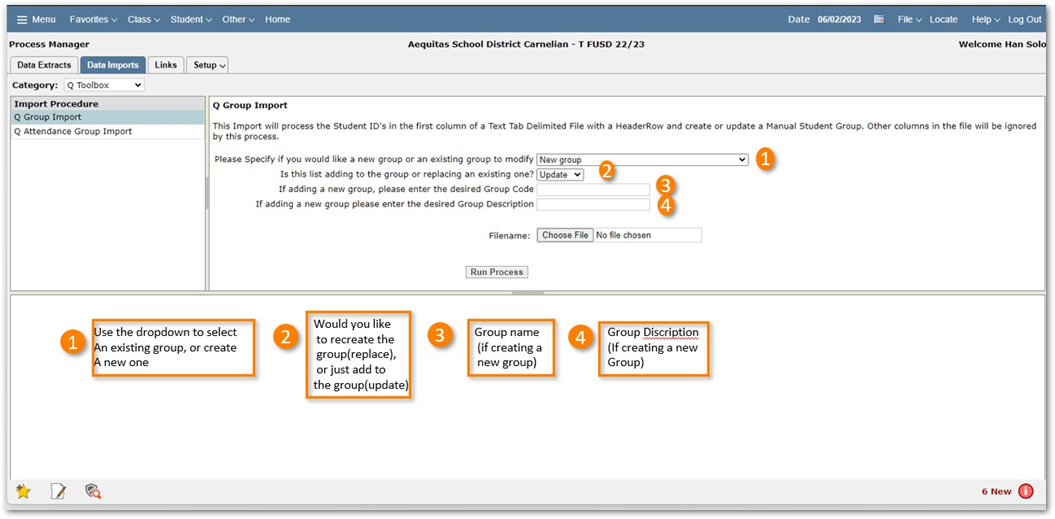
Then select the Q Group Import on the left side pane and choose if you want to create a new group, or an existing group. If you want to update or replace the group. Then provide a name and description for the group if it is a new group.
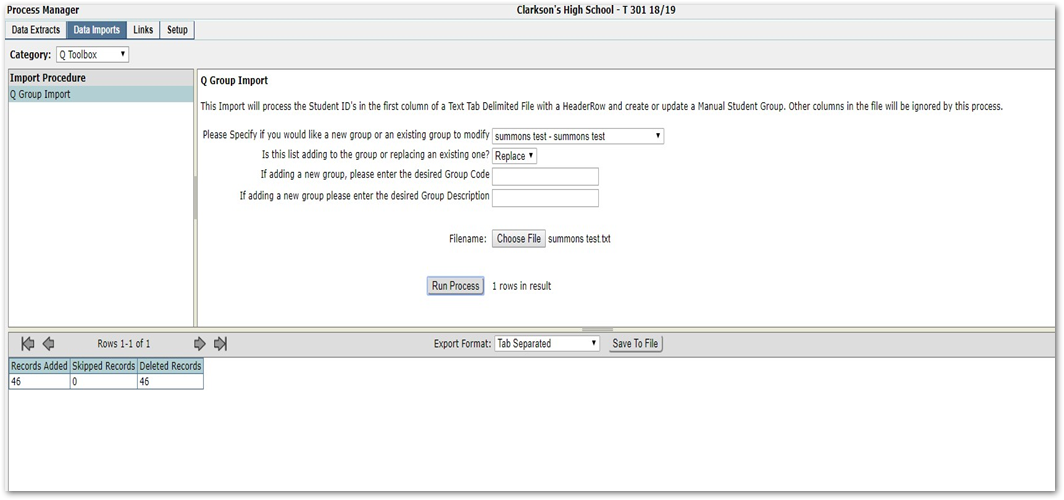
Then choose your file and click the run process button. The results of the changes will show in the bottom pane.
Now the group is available to use in Mass applications, or report filters just like any other group.