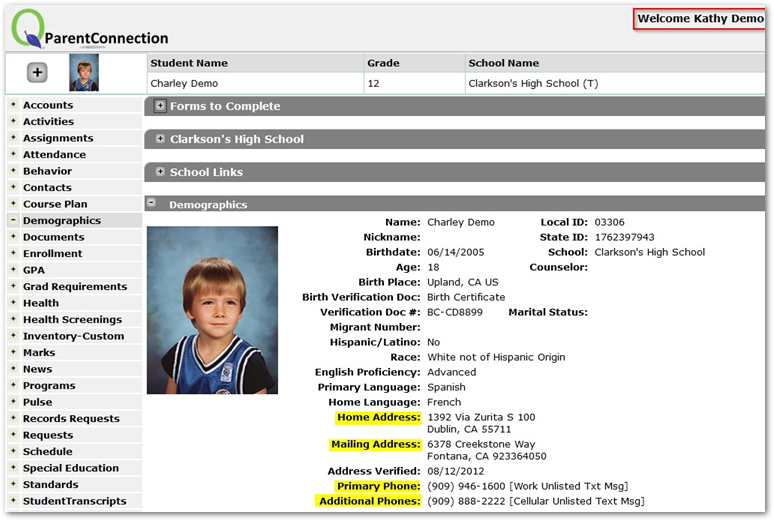
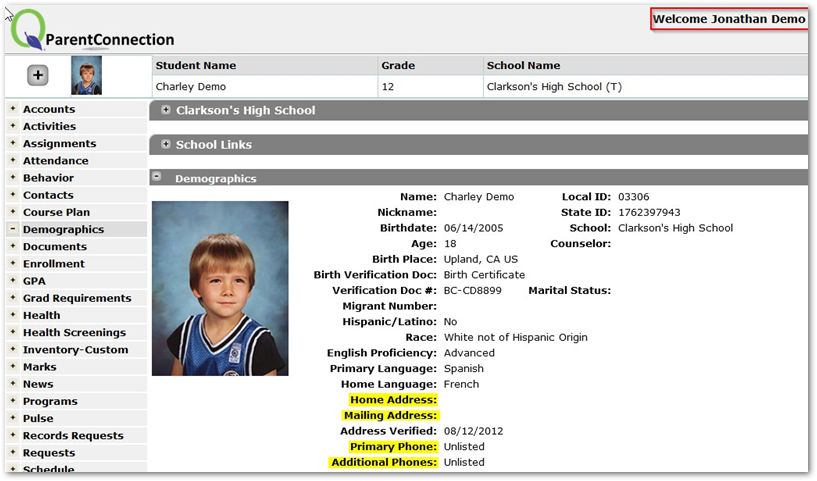
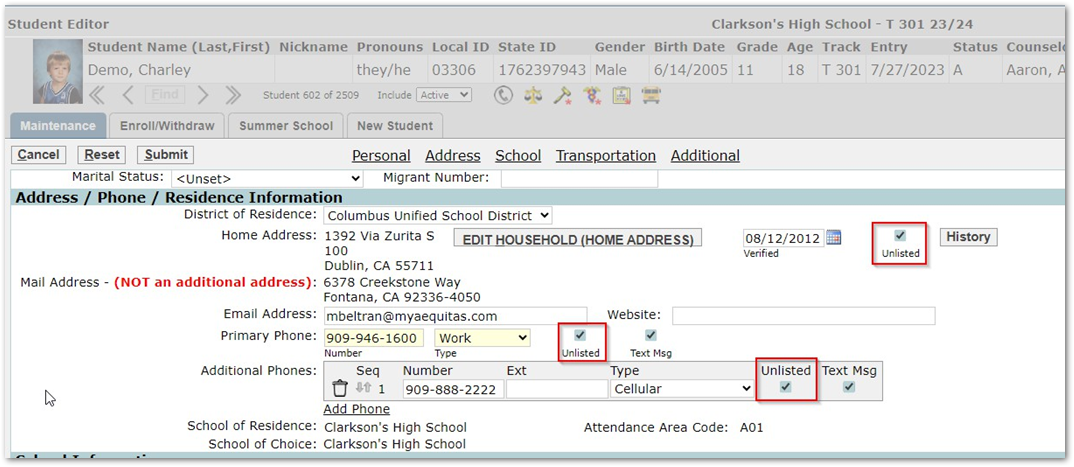
Custody issues that arise between parents from different households must always be managed with extra care. If a court order exists that stops one parent from having access to another parent’s household information (Phone, Address) then look to the ‘Unlisted’ Flag in Primary contacts and Student Demographics area of Student Editor as a solution.
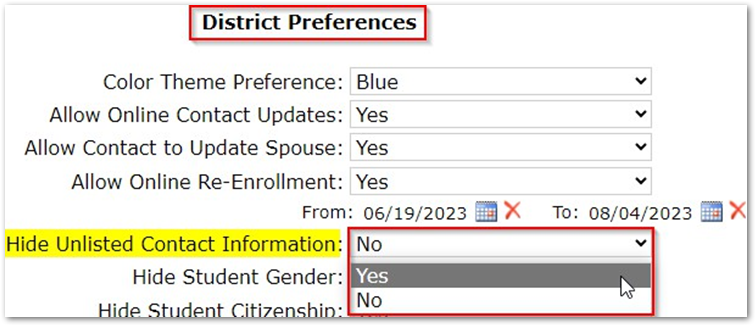
Flagging a Student and a contacts’ phone number/address as ‘unlisted’ lets us hide that info from the parent portal if the district preferences in Parent Connect Manager are set to allow Unlisted contact information to be hidden.
NOTE:
Staff members will still be able to see this information within Q
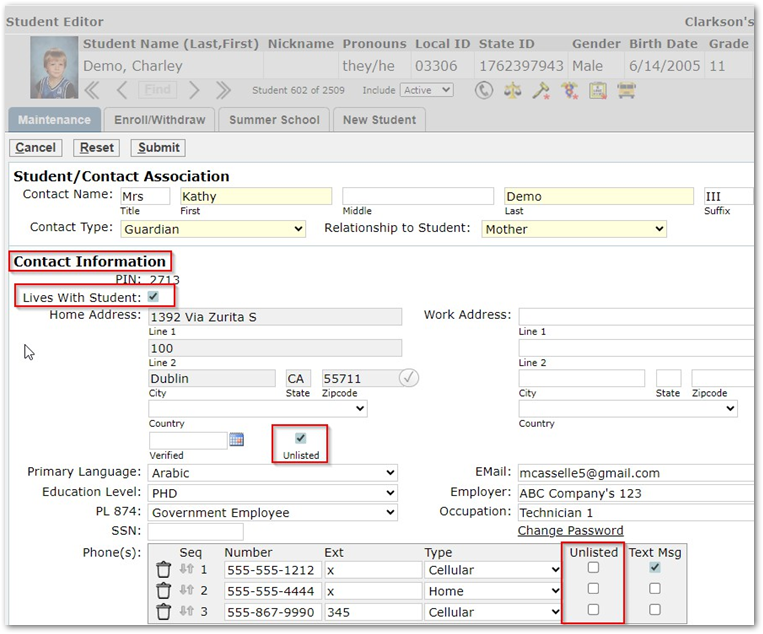
In the scenario above, Kathy Demo (Mother) lives with student Charley Demo and has a court order barring Jonathan Demo (Father) from having access to their Address or Phone number information. Below you can see the difference between what Kathy and Jonathan see when they login to their Parent Portals