
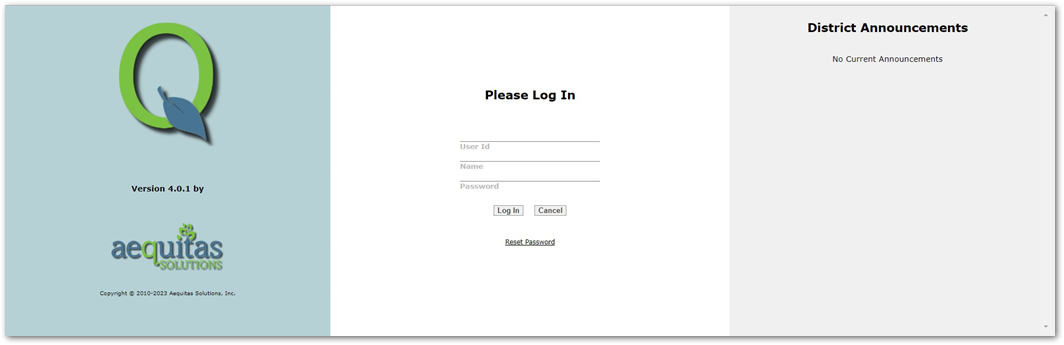
On Q’s login page, you may have noticed the 3rd column, titled District Announcements. Districts are able to set announcements here to all users of Q, quickly and easily, using the School Announcements application.
To set an announcement, navigate to the School Menu > School Announcements. Once the app is open, select the Login Page Announcement radio button:
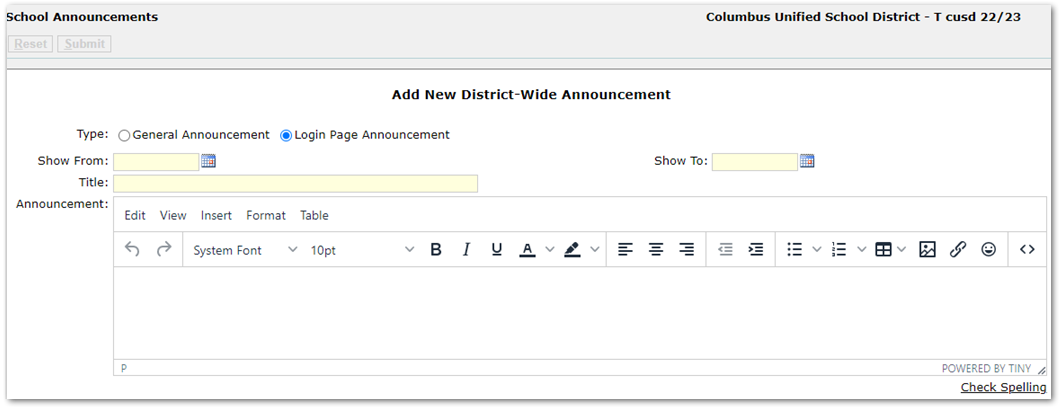
From here, add a title for your announcement, dates you want to display the announcement, and the announcement itself. The text editor here is the same TinyMCE editor you have access to in many other areas of Q, so you’re able to add the same kind of custom messages, using links, HTML, images, etc.
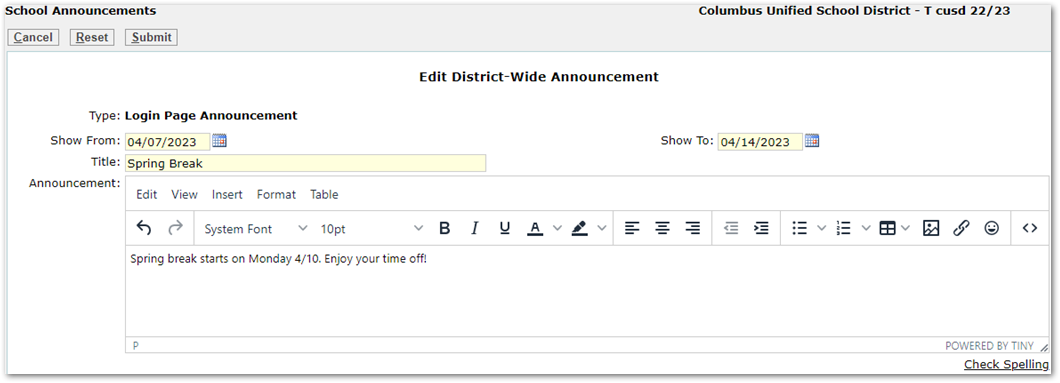
When you’re done editing your announcement, click Submit to save it. Just like that, next time your users login to Q, they’ll see your Login Page Announcement!
If you have any questions about your District Announcement setup, please contact the helpdesk!