
In some cases, placing students in programs is not always a straight forward task. Your district may have rules stating a student may only be allowed in one of a certain type of program. To enforce these rules, Q has a built in feature called Program Conflict Flags. Students can not be placed into 2 separate active programs if those programs share a conflict flag.
To set this up, navigate to the Program Editor, and select a program you want to add a conflict flag to:
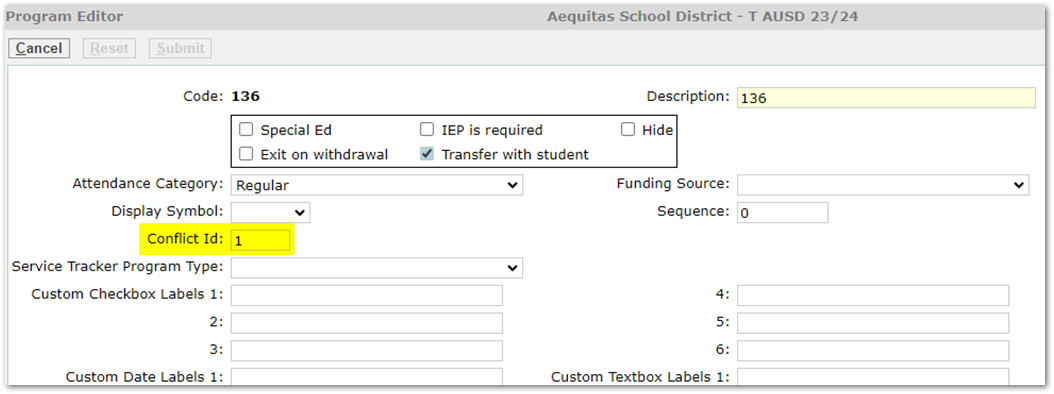
Once you’ve added a Conflict ID, click submit to save it. Then navigate to the program that you also want to share the conflict ID:
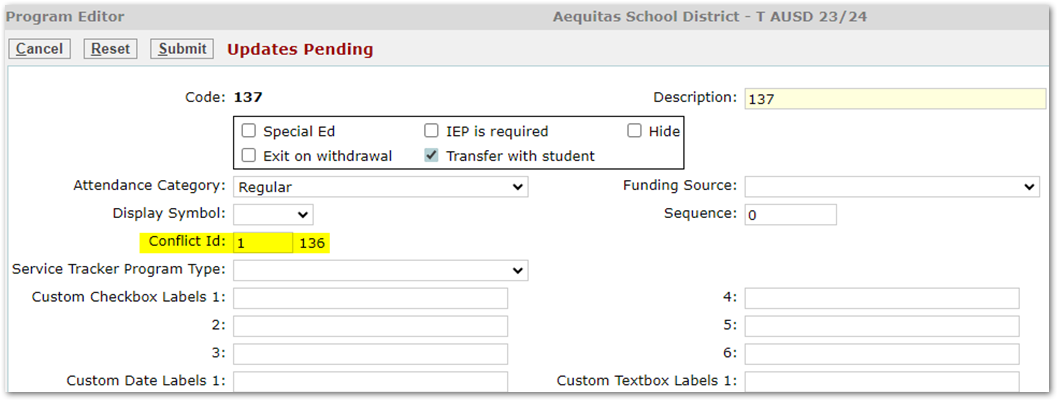
Once you add the same Conflict ID, you’ll see the program code that shares that ID appear. Submit to save, and you’re all done!
Here’s how this looks when trying to add a program with a Conflict ID:
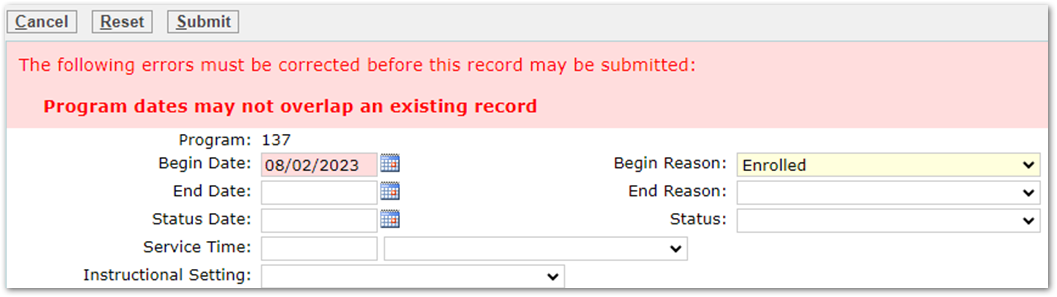
Q treats programs that share Conflict IDs as if they were the same program, so your error is reading that you may not have overlapping records.
There is not a limit to how many programs share a Conflict ID, so in an instance where your district has 6 SPED programs, but students should only be in 1 at the same time, you can enforce that by giving all SPED programs the same Conflict ID.
If you have any questions about creating program conflict flags, please open a ticket with the helpdesk!