
The Missing Test Report generates a list of students who either have not taken, or have not passed a selected standardized test.
Missing Test Report is located within Reports in the Testing menu in Q. Most reports also include selection filters, and users can learn more about them in the Selection Filters documentation.
Report Options
The Missing Test report offers the following options: 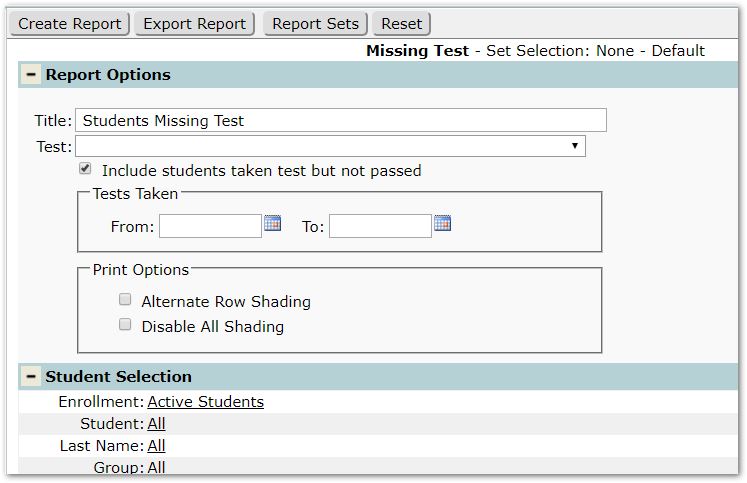
- Title – A default title is provided, but may be changed as desired.
- Test – Select specific test(s) or accept the default All tests to report.
- Include students taken test but not passed.
- Tests Taken – tests with dates within the date range specified will be included.
- Print Options
- Alternate Row Shading – Check if alternate row shading is desired.
- Disable All Shading – Check to remove all shading.
Example Reports
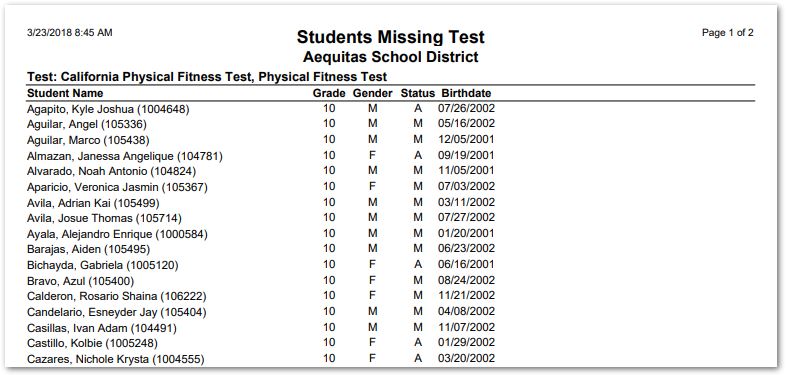
Sample Missing Test Report