
The following application allows school sites to keep track of parental requests to authorize or prohibit their child in regards to participating in a class or school program. Records Authorization is a Student Banner application.
Records Authorization is located under the Enrollment menu in Q.
From the Student Banner, click Add to begin adding a record.
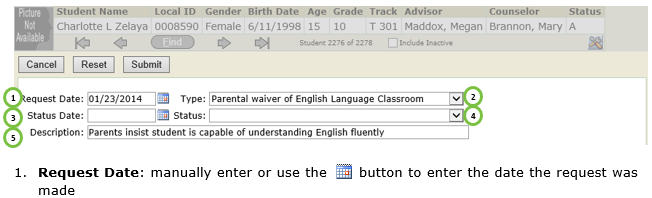
2. Type: select the type of request
3. Status Date: enter date if status change has been made
4. School: select status
5. Description: enter short description of request
6. Click Submit to save request.
Once submitted you will return to the main page where the record authorization will be displayed:
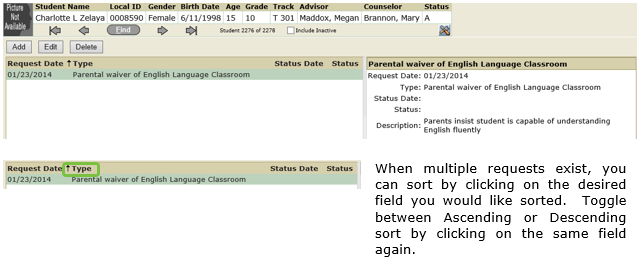
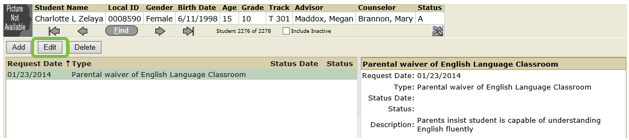
When a request needs to be granted or denied, click and highlight the specific request and click Edit.
From the Edit Screen, enter a Status Data and Status (e.g. Granted / Denied).
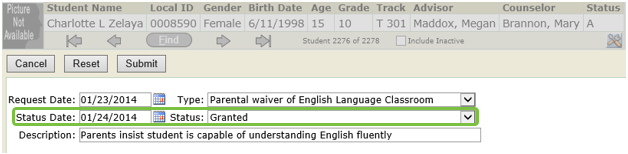
Click Submit to update status.
To delete an existing request, select the desired request and click Delete. The following prompt will be displayed:
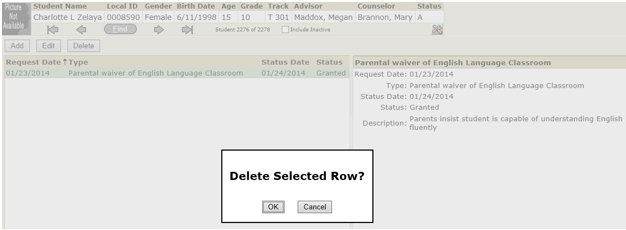
Click OK to confirm the deletion or Cancel to return to the main Records Authorization page.
