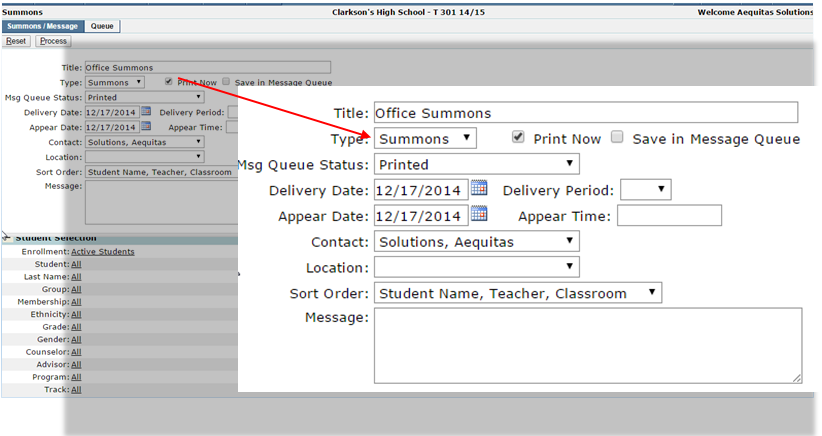
This application automates the generation of a summons, or a call slip, for students.
The interface allows the user to select a student or a set of students and, based on a date and period, looks up the students schedule and fills in the class information so that the messages can be delivered quickly and efficiently.
Summons is located under the Enrollment menu in Q.
The first tab on the Summons page is the Summons/Message tab. Here, the user can decide what the details of the form will be, including when and where the form will be delivered to the student.
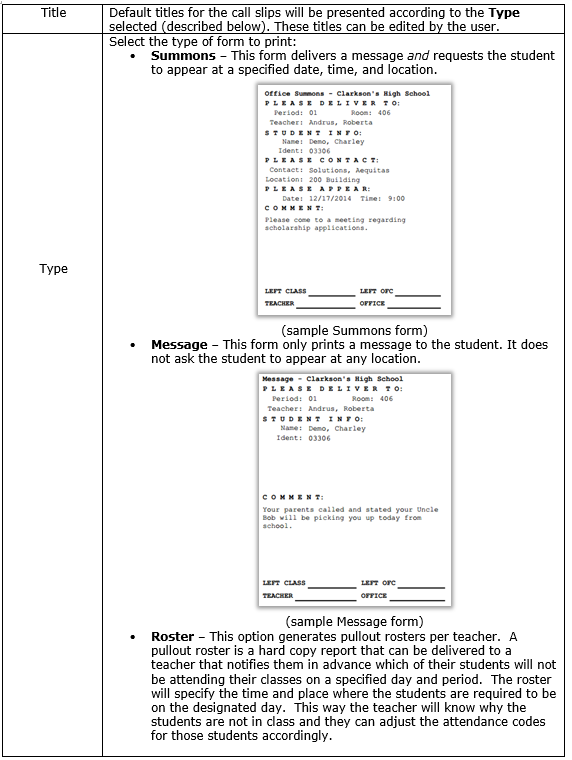
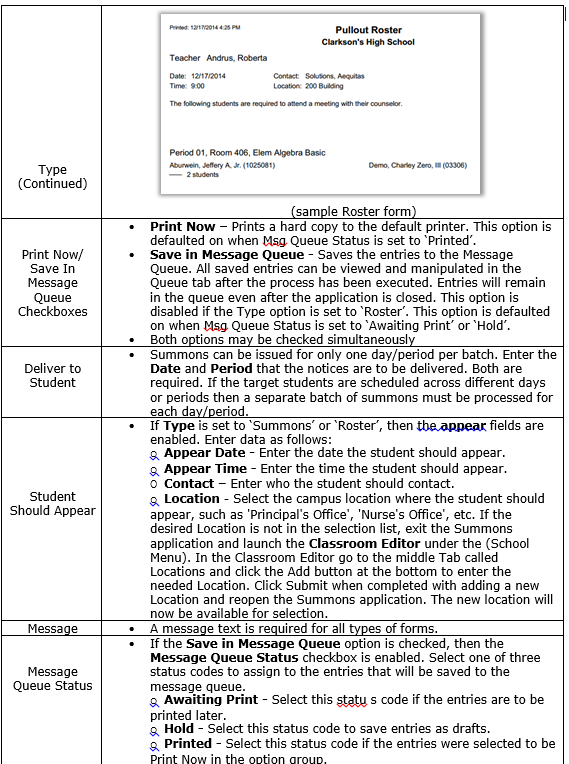
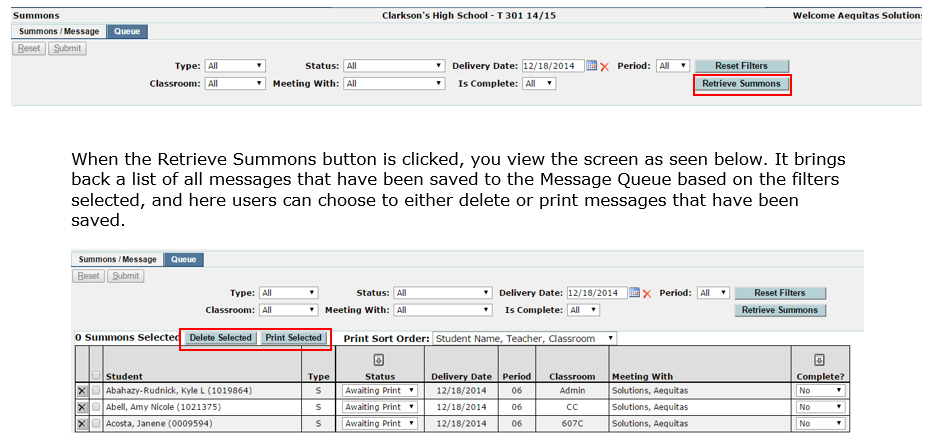
The second tab on the Summons page is the Queue Tab and shows the view displayed below. Here a user can view messages that have been saved. All saved entries can be viewed and manipulated in the Queue tab after the process has been executed. Entries will remain in the queue even after the application is closed. Messages will not be saved in the Message Queue if the form option was selected to be set to Roster.