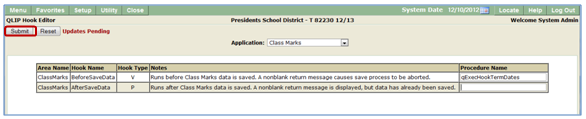
The Q QLIP Hook Editor allows the system administrator to place Data Validation and/or Data Processing Hooks defined as Q Logic Insertion Points for Q applications.
QLIP Hook Editor is located under the System menu in Q.
Adding a Hook
When launched the QLIP Hook Editor displays a drop down list of Q Applications that accept hooks.
To insert a hook:
- Create Procedure to be used.
- Launch QLIP Hook Editor.
- Select desired Application from list of applications.
- Select desired area name.
- Select desired hook type.
- V = Data Validation
- P = Data Processing
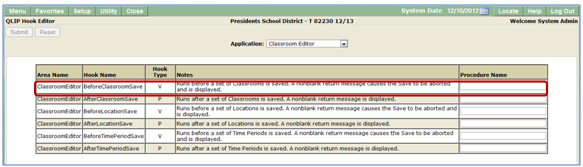
- Enter procedure name.
- Click Submit.