The Food Service Online Applications portal allows applicants to complete Food Service applications via an online portal. Online Food Service applications may be configured by school districts and translated into various languages. Once an online application has been completed and submitted districts will need to run ‘Process Applications’ and applications will be approved or denied based on applicants qualifications.
Accessing
Applicants may access Online Food Service applications via the Online Food Service portal provided by your District. Applicants who have previously registered to access the Online Application portal can sign into their account using their Email Address / Username and Password. Links are provided to enable users to recover their usernames and passwords if they have been forgotten. Applicants, who have not yet registered to access the Online Food Service Applications portal, may do so by clicking Register located in the not yet registered section. 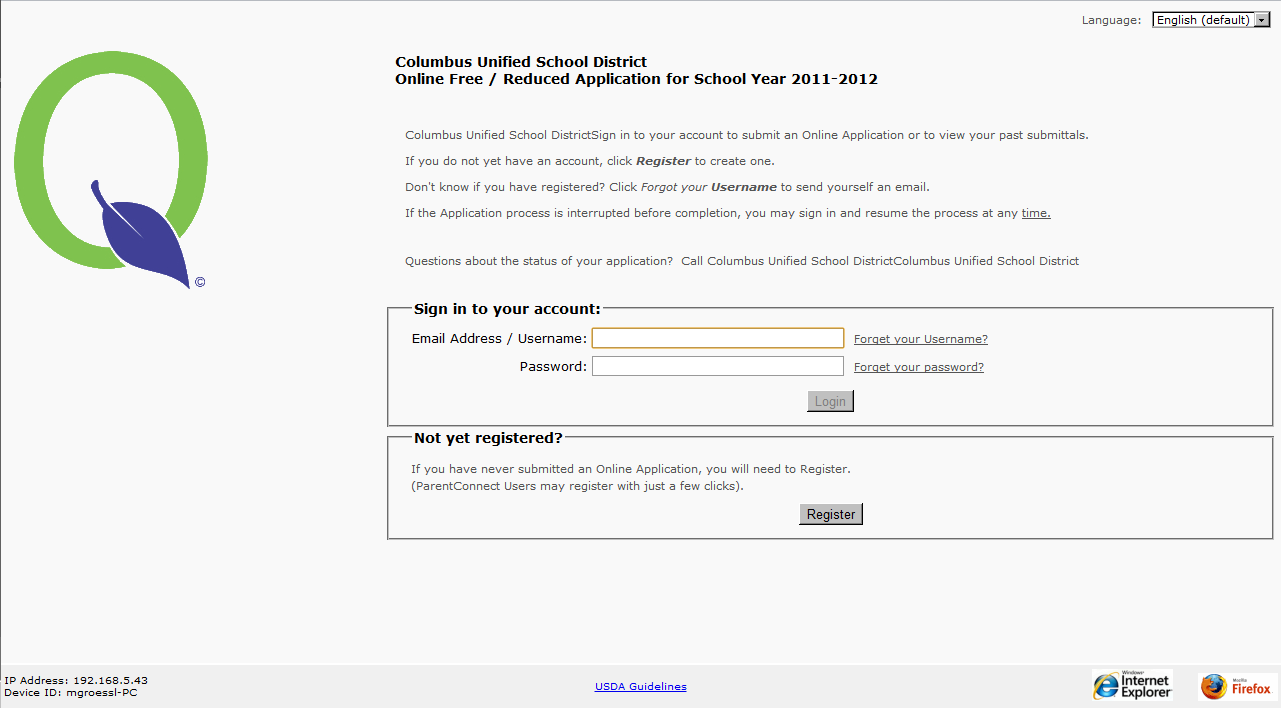
Online Registration
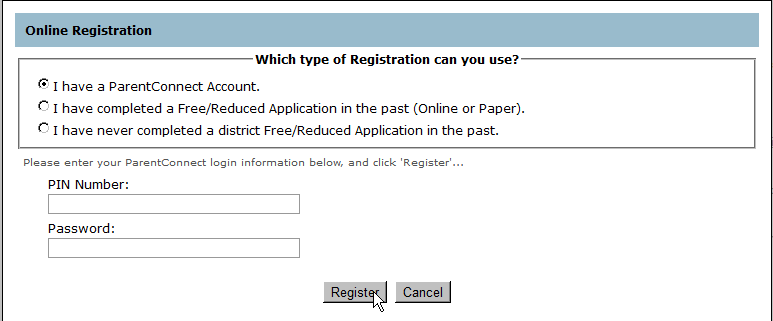
Applicants may register using one of three methods.
The registration process will vary depending on the option selected.
Enter the required information and click Register to continue to Online Registration, or Cancel to return to the previous screen.
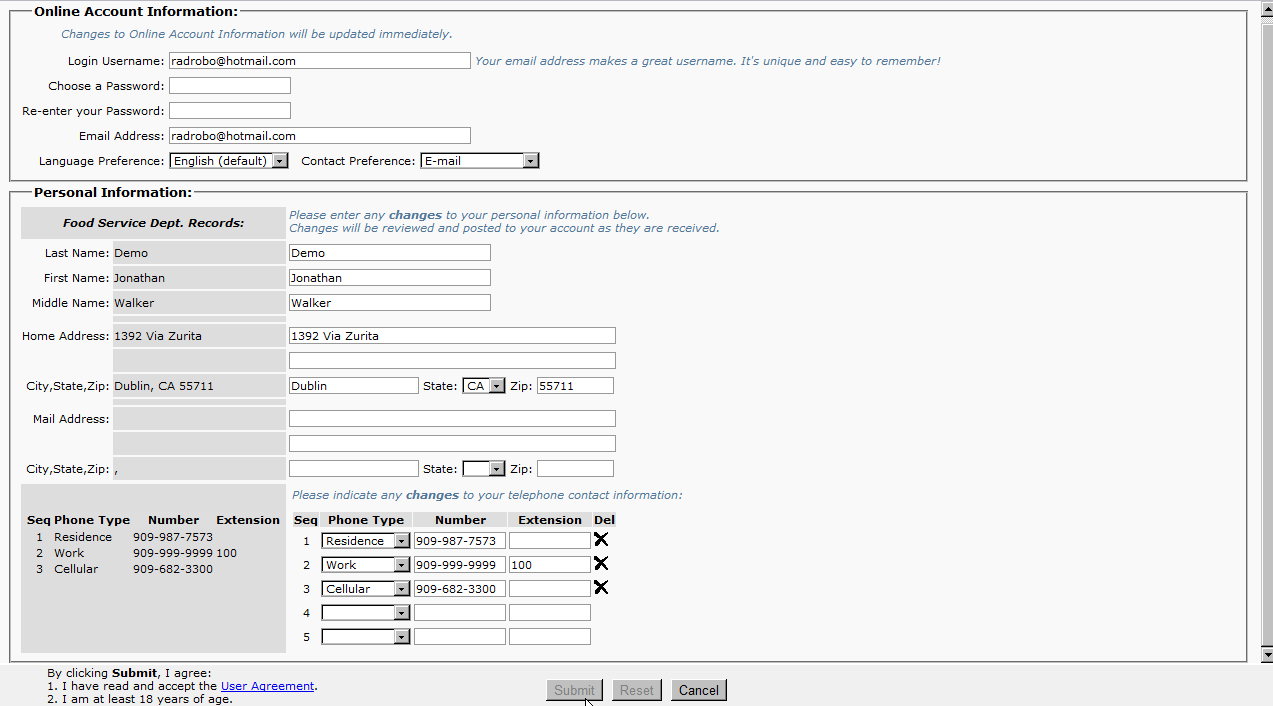
If one of the top two registration options is used, Personal Information such as name, home address, and phone numbers will be populated using contact information from ParentConnect or Food Service records.
- Complete the requested information in the Online Account Information section.
- Review Personal Information. Enter any missing information and edit any information which is incorrect.
- Click Submit to verify that you have read and accept the Online Application user agreement and that you are at least 18 years of age.
- Click Reset to undo all changes, or Cancel to return to the previous screen.
Once you have successfully completed the online registration process, click OK to be routed to the Online Application log in screen. 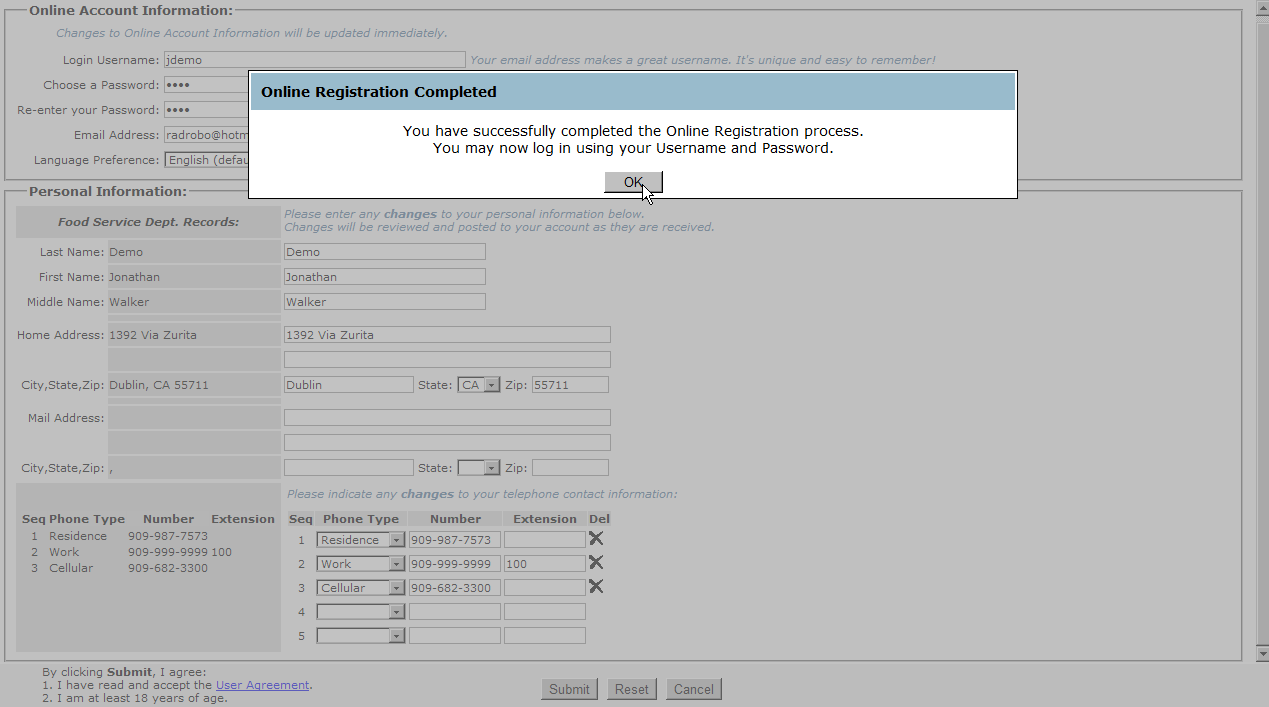
Once registration is complete, you can access the Online Application portal using the username and password provided.
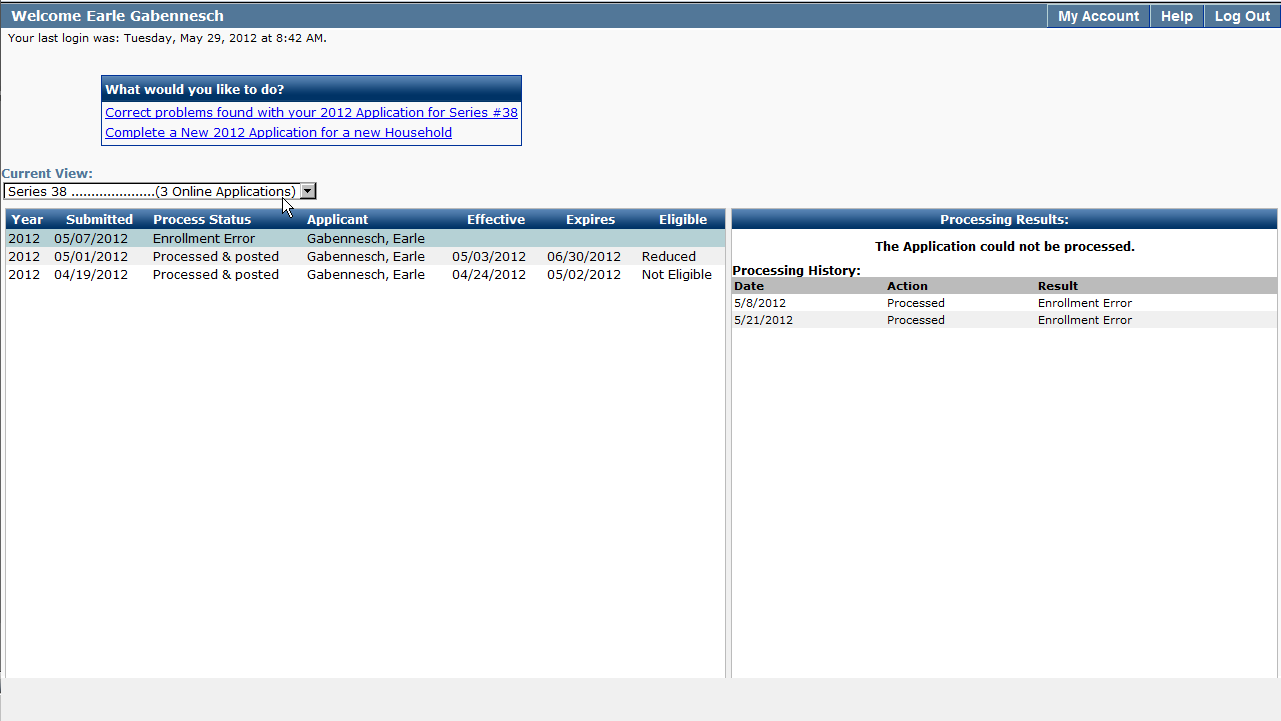
The Online Application interface provides applicants with a history of all Food Service applications they have submitted.
My Account
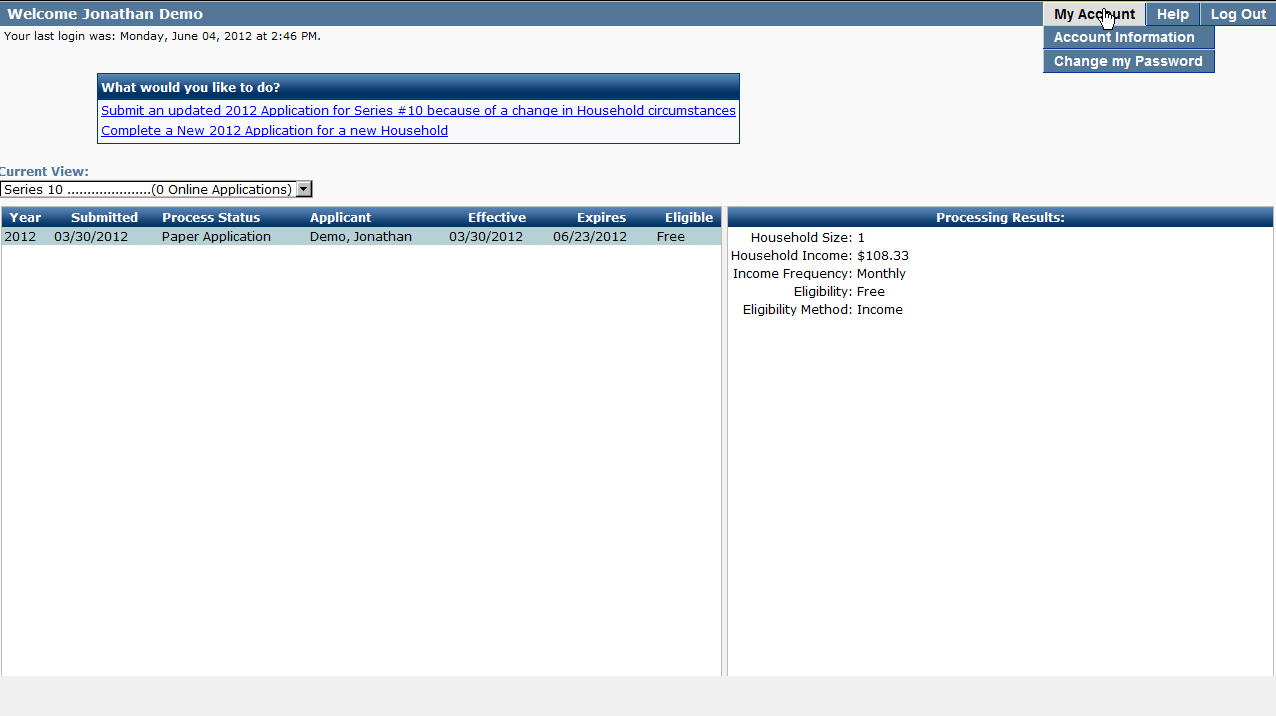
View or change your personal information or change your password by clicking My Account and selecting from the Account Information or Change my Password tabs.
Changes to Account Information
Make changes to your account information by clicking Account Information. Click Submit Changes to save your changes, Reset to clear changes made, or Cancel to return to the previous screen.
Application Series
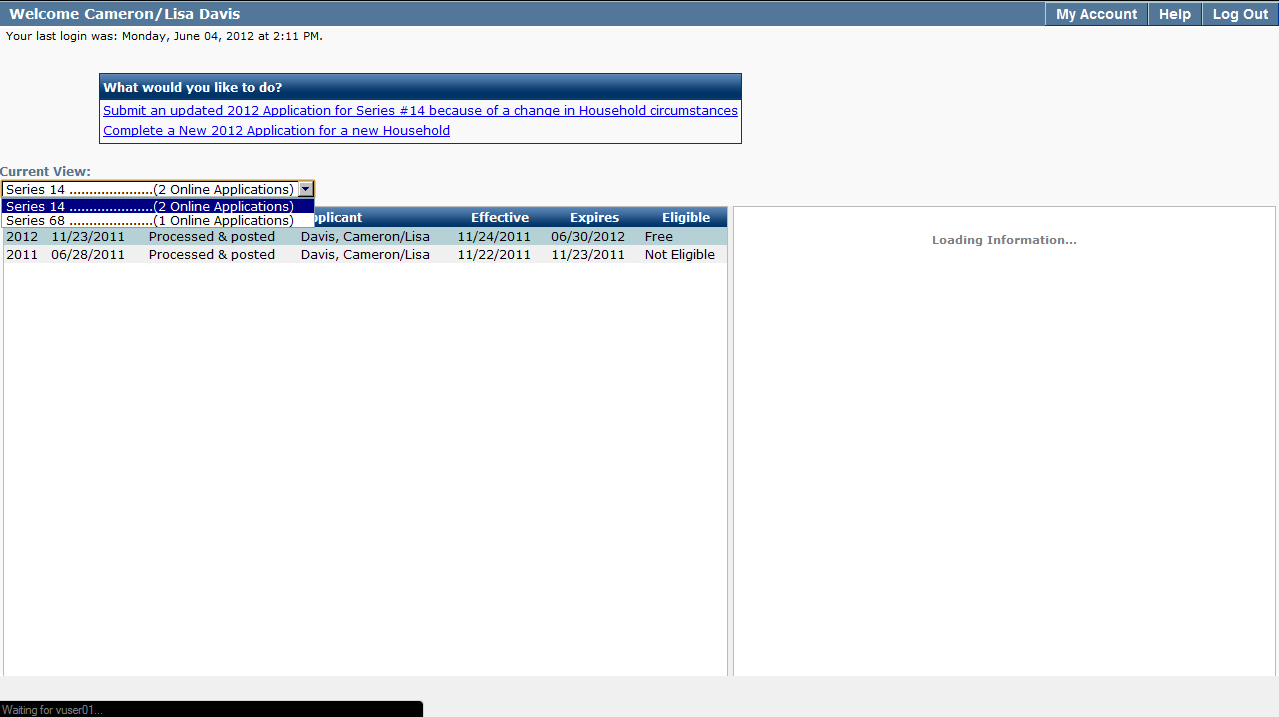
Applicants that have submitted Online Applications for multiple households can select which household series they wish to access/view by selecting the Application Series from the ‘Current View’ drop down list. The number of applications in the series will appear next to the series number. Once a series has been selected, detailed application information will be displayed.
Processing Results
The Processing Results window displays a summary of the processing results and processing history for the selected application.
1. Click Complete a New Application in the ‘What would you like to do?’ Section. The Online Food Service application will open in a new window.
2. If there are any questions regarding how to complete the Online Food Service Application, click the Instructions link located in the upper right hand corner of the online application. A new window with detailed instructions will open.
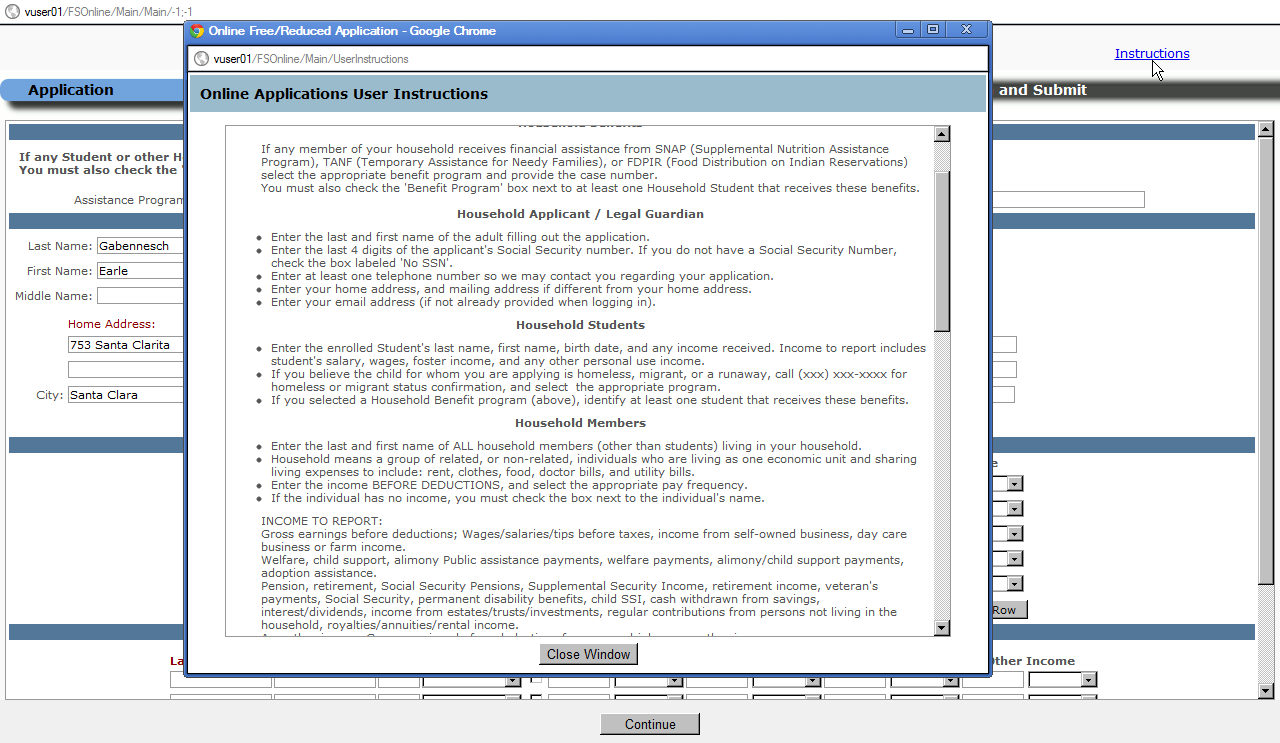
3. Once all required fields are complete, click Continue.
Note:
Required fields are denoted in red.
Permission
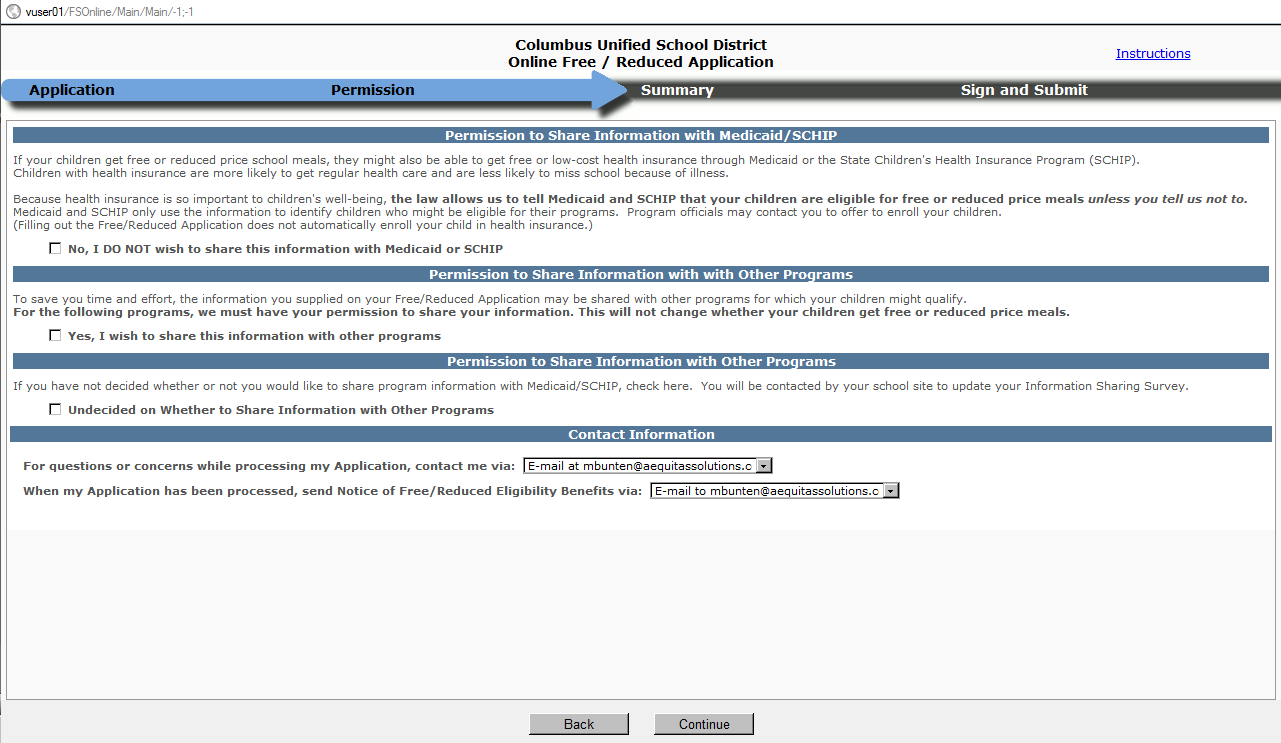
- Information Sharing Survey questions will be displayed. Place a checkmark next to the answer you would like to select.
- Verify that the contact information displayed is correct. To view other contact options, click on the drop down selection list.
- Click Continue to proceed, or Back to return to the previous screen.
Summary
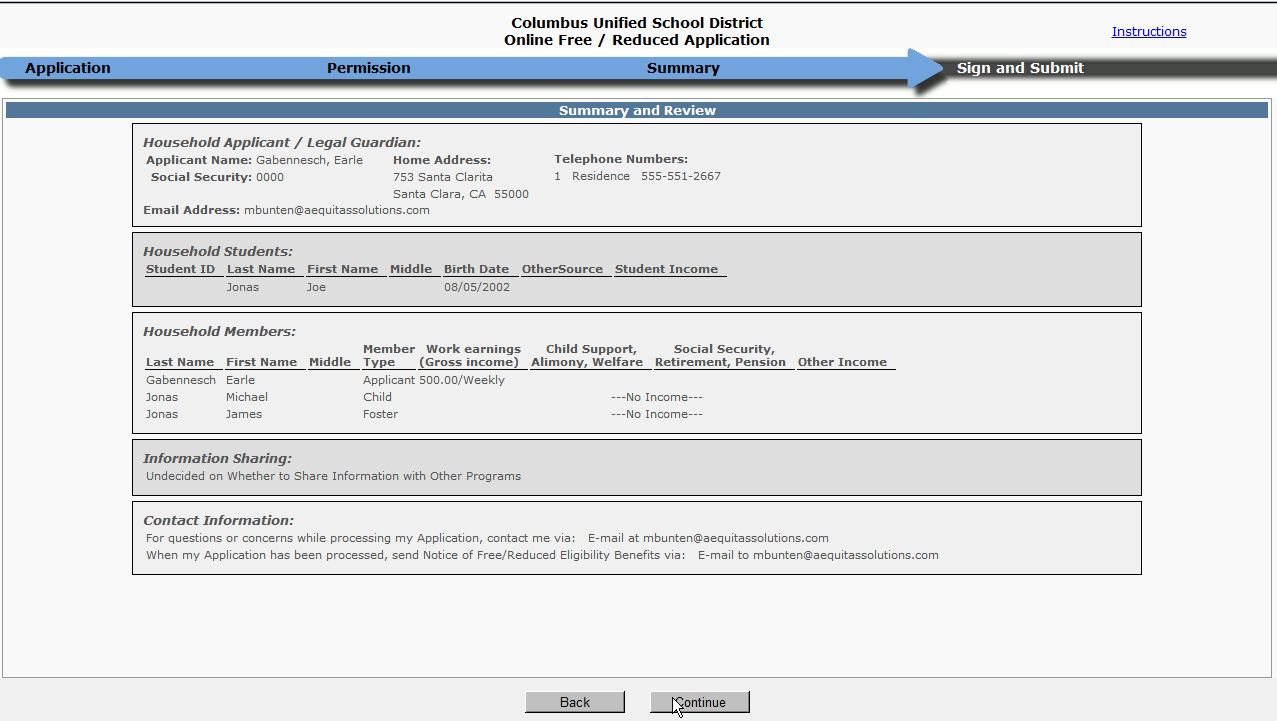
- A summary of information entered in the Food Service Eligibility application will be displayed.
- Review the information to ensure that it is accurate.
- If no changes need to be made to the application information, click Continue. To return to previous applications screens, click Back.
Sign and Submit
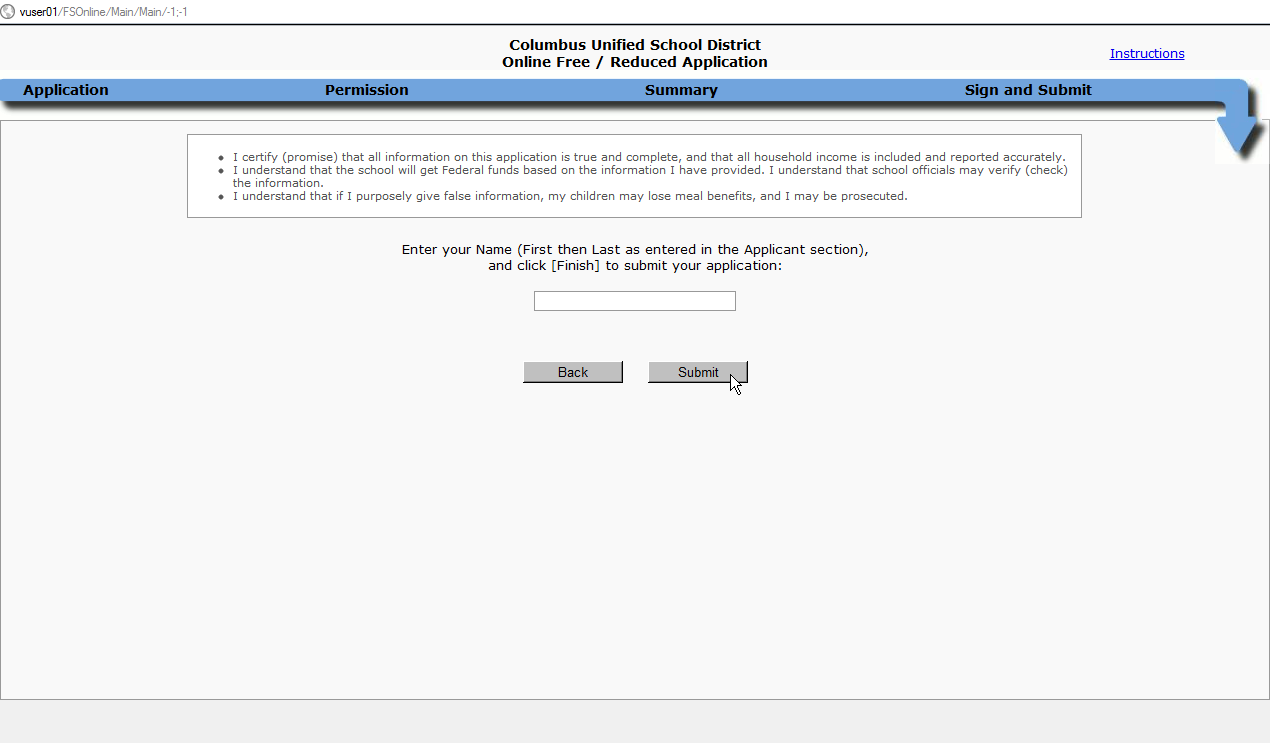
An electronic signature is required to complete an Online Application for Food Service Benefits. First and last name must be entered in the signature field exactly as it appears on the application. Once a signature has been entered, click Submit to continue or Back to return to the previous screen.
Completing an Incomplete Online Application
If an online application was interrupted before being completed, applicants have the option to complete the application by clicking Complete your incomplete Application in the ‘What would you like to do?’ section.
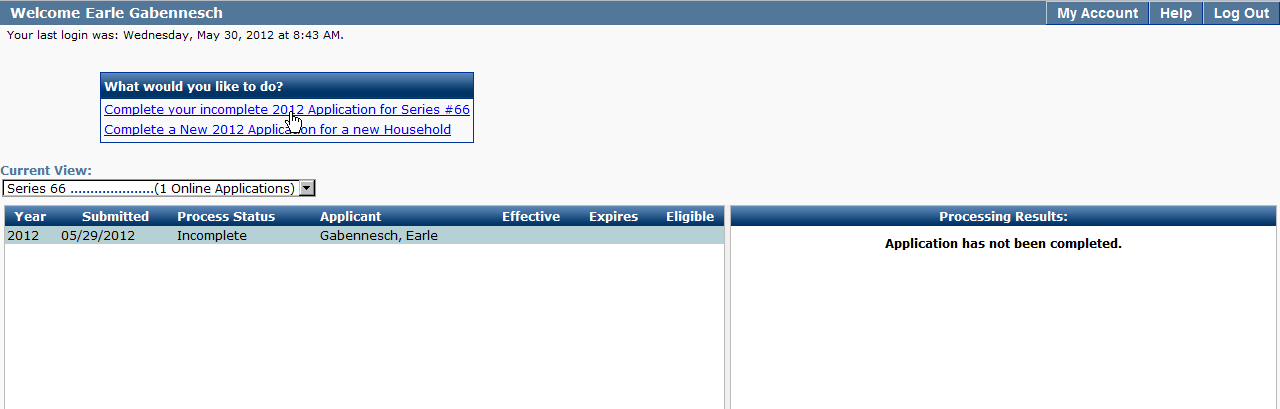
- The incomplete online application will open.
- Review the application, enter any missing information.
- Continue through each application section until the application is complete.
Online Application Receipt
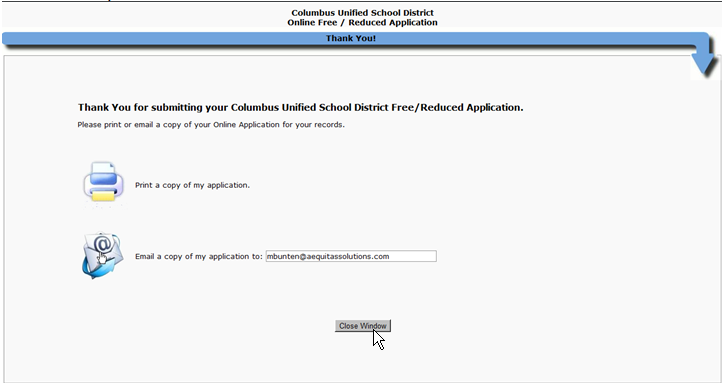
Upon submission of an online food service application, applicants can choose to print or receive an email copy of their application. Once their selection has been made, they can click Close Window.
Note:
One option must be selected.