
The Detail Behavior Report provides a list of behavior incidents per student, for a defined date range. This report is similar to the Behavior History Report, but it provides more detail on each Incident
While details specific to this report will follow, users can find general information about reports within the Reports documentation.
Detail Behavior Report is located within Reports in the Behavior menu in Q.
Unique Report Options for Detail Behavior Reports
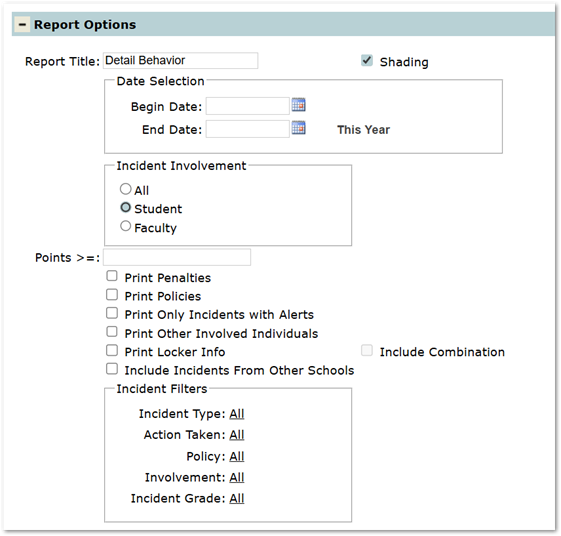
- Incident Involvement: Determines what incidents to include in the report, based on Incident Involvement.
- All: All Incidents that have students and/or faculty member participants.
- Student: Only Incidents with student participants.
- Faculty: Only Incidents with faculty participants.
- Points >=: Allows users to include only involvement records with point values equal to or greater than a specified number.
- Users can leave blank to ignore point values.
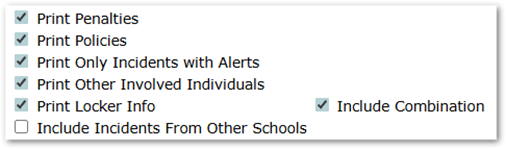
- Print Penalties: Option to print any penalties assigned to a student in the reported Incidents.
- Print Policies: Option to print any district policy codes assigned to an Incident.
- Print Only Incidents with Alerts: Option to print only incidents that have an alert flag enabled.
- Print Other Involved Individuals: Option to include all other students/faculty involved in each incident reported.
- Print Locker Info: Option to display Locker information for each student listed.
- Include Combination: Enabled if the Print Locker Info button is selected. Option will include the locker combinations along with the locker info.
- Include Incidents from Other Schools: it is possible that a student may be involved in an Incident recorded at a school other than the logged-on school. This option includes these Incidents in the report.
- Incident Filters: Allows users to filter report results based on various criteria. Users can click on the underlined ALL for any of the following items to select the specific codes to filter results by. Ctrl-Click to select multiple codes. Click Done to save filter selections.
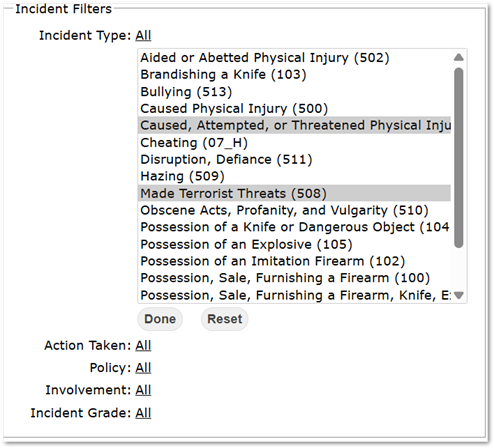
- Incident Type
- Action Taken
- Policy
- Involvement
- Incident Grade
Create/Export Report
Create Report
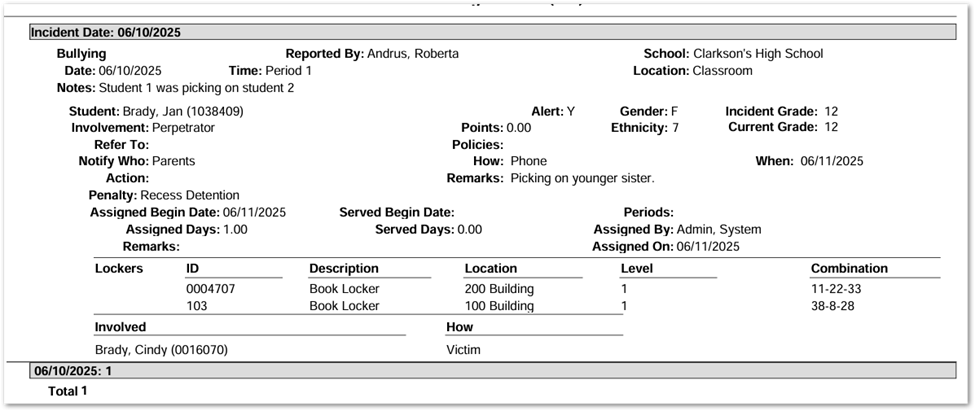
Above example displays a report for a single student utilizing the below options.
Export Report

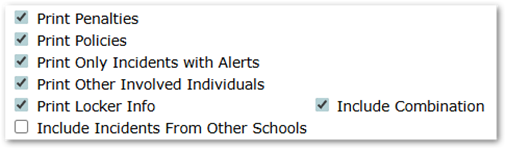
Above example displays a report for a single student utilizing the below options.
Videos
