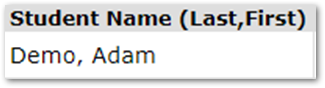
There may be times when your district wants more information displayed in the Student Banner than the standard items that we provide. In that case, you can put in an enhancement request to Aequitas, OR If your district has a DBA/staff with SQL skills, you can create your own custom Student Banner Items.
The setup for these items is rather simple, as you’re only going to be inserting values into one table: FieldSetItem. The following example will add a Custom Student Banner Item that will display the current Student’s name as “Last, First”
IF NOT EXISTS (SELECT 1 FROM dbo.FieldsetItem WHERE FieldsetName = 'StudentBanner' AND ItemName
= 'Student Name (Last, First)') BEGIN
INSERT INTO FieldsetItem (FieldsetName
, Sequence
, ItemName
, ItemSource) VALUES
('StudentBanner'
, (SELECT MAX(Sequence) + 1 FROM FieldsetItem WHERE FieldsetName = 'StudentBanner')
, 'Student Name (Last, First)'
, '$select sd.lastname + '', ''+ sd.firstname value from studemo sd WHERE sd.suniq = @StudentID');
END
Item to note:
- The “$” in front of the select statement. This is required and must be included in your ItemSource select statement.
- FieldsetName must be set to ‘StudentBanner’
- Your select statement must return only one row
- The select statement may use session variables like @studentid, @trackid, @schoolcode, @schoolyear etc.
Here’s what it will look like in the banner when you re-launch Q:
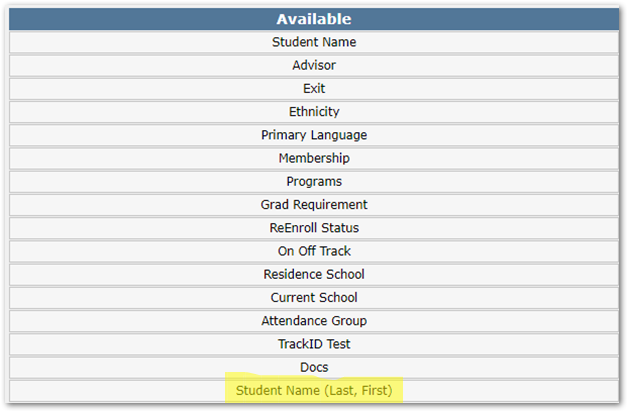
Once you drag and drop it into your selected banner items, it appears as: