
If you’ve ever run a report in Q that took longer than expected or wished you could schedule reports to run overnight without the worry of slowing anyone down, the Q Report Server is here to help.
The Report Server allows reports to run in the background, separate from everyday user activity. This means large or complex reports can process without tying up Q for staff who are actively working in the system. It also allows reports to be scheduled to run automatically on a daily, weekly, or monthly basis, with results delivered back into Q once they’re complete.
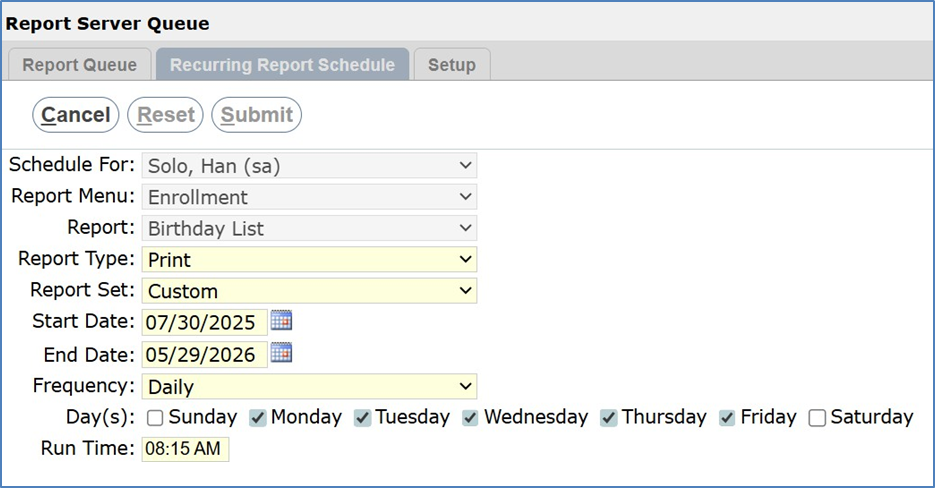
When the Report Server is configured, most standard reports in Q can take advantage of it automatically. Any report you schedule from will be sent to the Report Server to process at the scheduled time. From the user’s perspective, there’s nothing extra to manage. You schedule the report, continue working in Q, and let the system handle the rest in the background. Many users take advantage of scheduling longer running reports overnight, and have them ready to review the next morning.
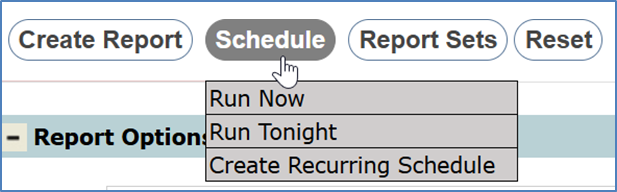
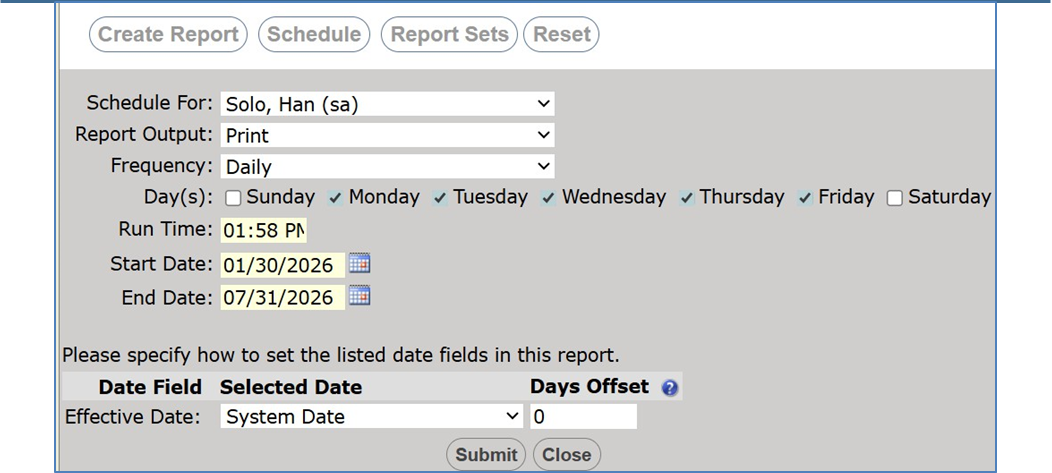
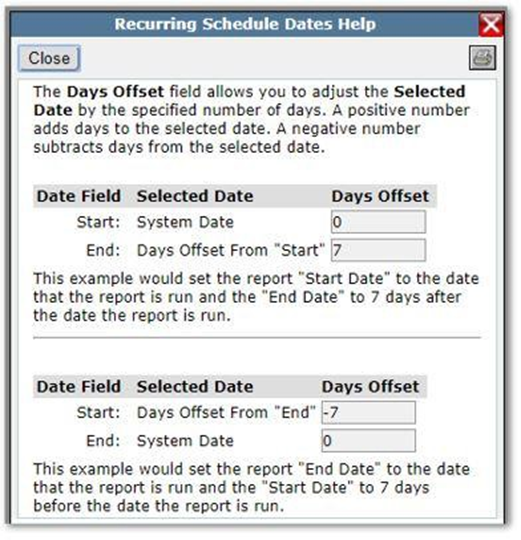
Days Offset lets you tell Q how many days before or after the run date the report should look. A positive number moves the date forward, while a negative number moves it backward. This makes recurring reports far more flexible and reduces the need for manual intervention.
For example, you can configure a report so the Start Date is always the day the report runs and the End Date is automatically set several days later. Conversely, you can set the End Date to the run date and use a negative offset to automatically look back a set number of days, which works well for weekly or rolling historical reports. Because the dates are calculated at the time the report is run, the same scheduled report can be reused indefinitely without needing to edit date fields.
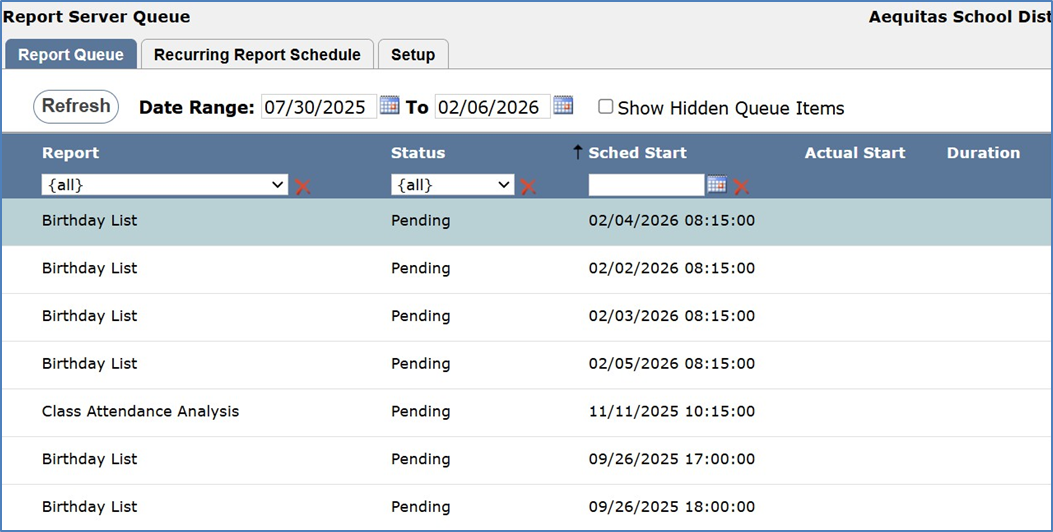
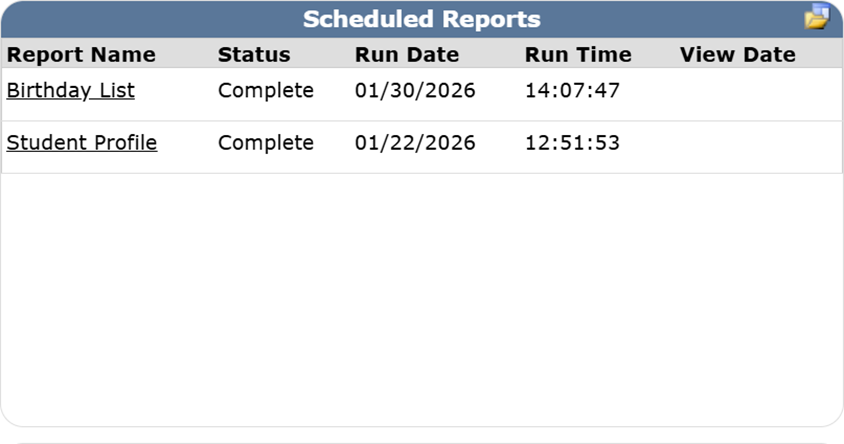
Once a report finishes processing, the results are easy to access. Completed reports appear in the Report Server Queue, where you can see the status and retrieve outputs. They also surface in the Mainpage widget, making it quick to open reports without navigating through multiple menus..
In short, the Report Server is a simple but powerful way to keep Q running smoothly while still getting the reports you need, when you need them. Any questions on setting up the Report Server? Please submit a ticket to the helpdesk.