Food Service Accounting is Q’s application interface to an accounting department featuring the ability to link Food Service revenue and expenditures to the school district’s financial system. The Q Food Service Accounting application:
- Produces Food Service Accounting reports
- Closes and locks the Food Service Accounting Period
- Provides an interface between Food Service and third party accounting software (optional)
Food Service Accounting has 4 main features, Accounting Reports, Tools, Accounts and Account Mapping.

Note:
Q Food Service is delivered with a pre-configured general chart of accounts, which is managed using the Accounts and Account Mapping tabs. If your district has accounting requirements beyond what is pre-configured, Accounting can be customized to meet your district’s needs.
Food Service Accounting is located under the Food Service PoS menu in Q.
- Click Accounts
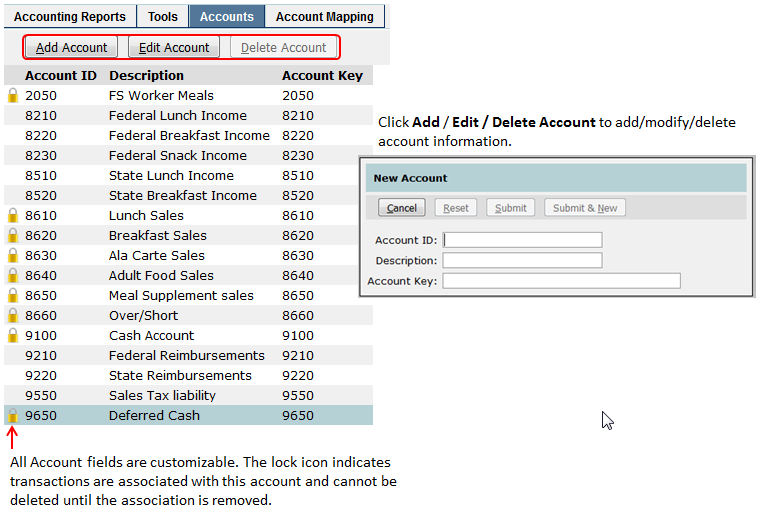
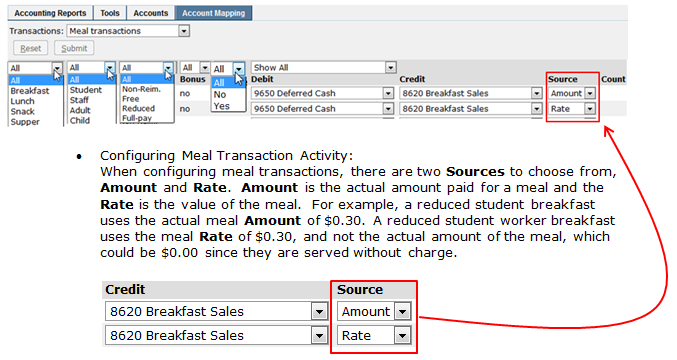
- Use Account Mappingto assign account codes to the Transaction Debit and Credit Columns. This is how the Food Service expenses (Debit) and incomes (Credit) are tied to the Accounting system.
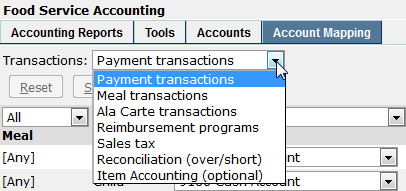
- Select the type of transactions to be mapped.
- If you track your meal revenue separately, you will need to associate breakfast activity with breakfast accounts, lunch with lunch, etc. If all of your payment activity falls under the same account, you can use the [Any] meal category and disregard the rest.
- Assign Account Debit and Credit Accounts to the transactions that are to be tracked.
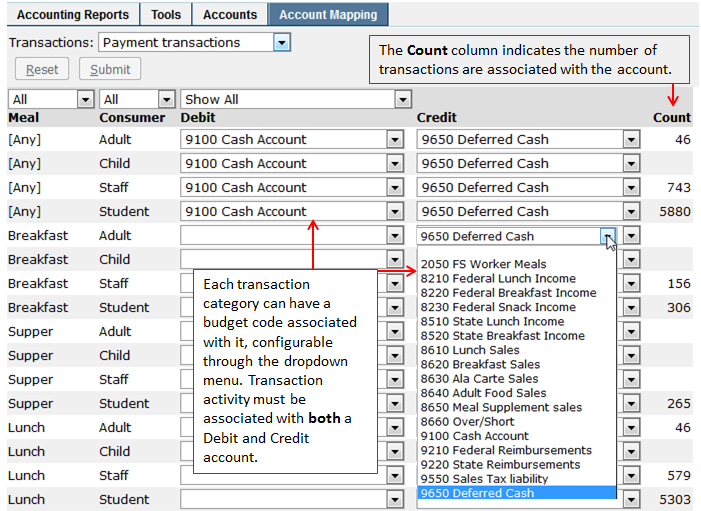
- When mapping accounts, filters can be applied to many of the columns that speed up the process.
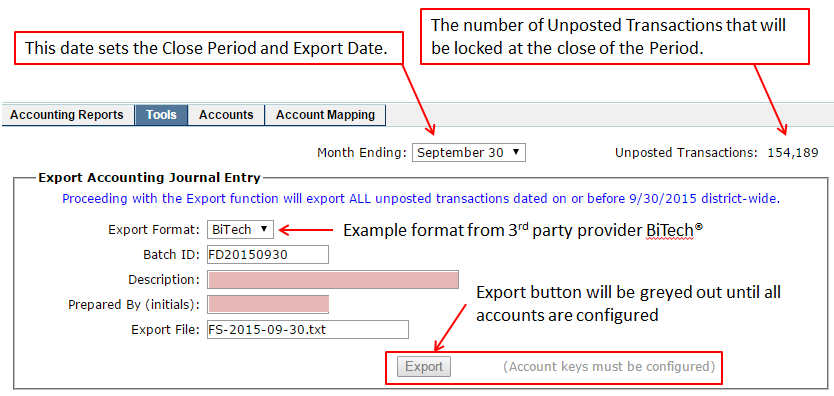
Food Service Accounting Tools is used to export data to a 3rd party accounting system and to close accounting periods and post transactions.

- Exporting - Before clicking Export, make sure the date is correct and that the export has a Description and Prepared By (initials). These values are written to the export file.
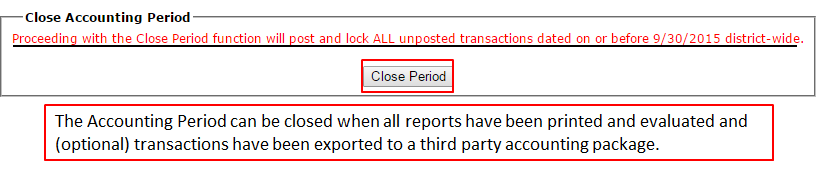
- Close Period - Check the Period Ending date.
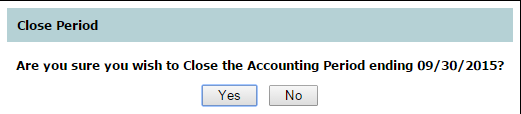
Once a period has been closed, it no longer appears in the Month Ending menu.

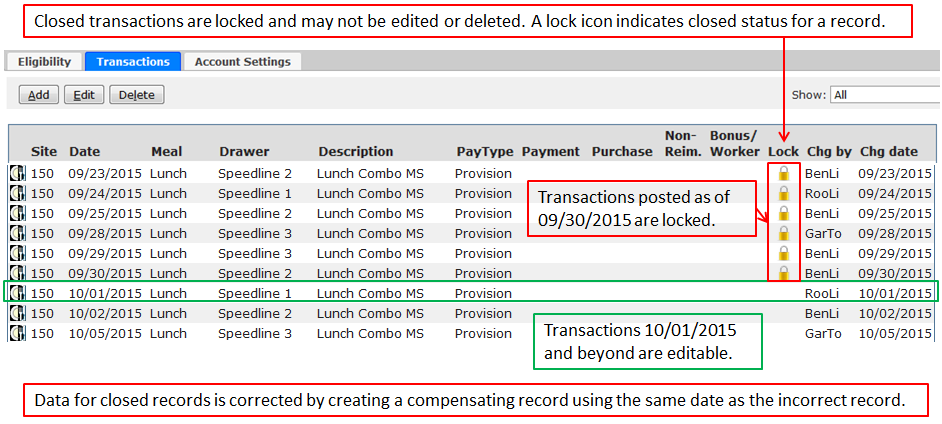
Shown below are transaction records in Food Service Accounts.
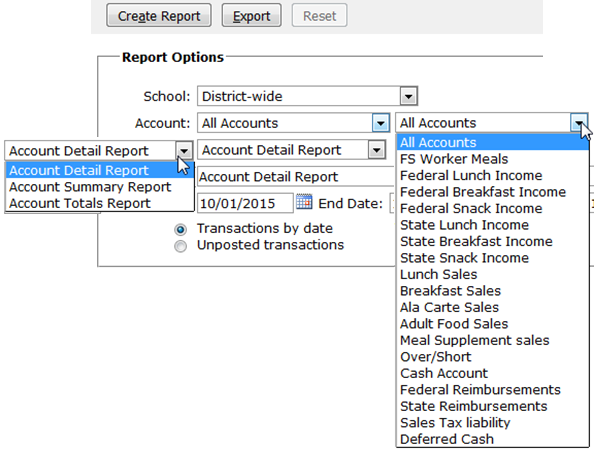
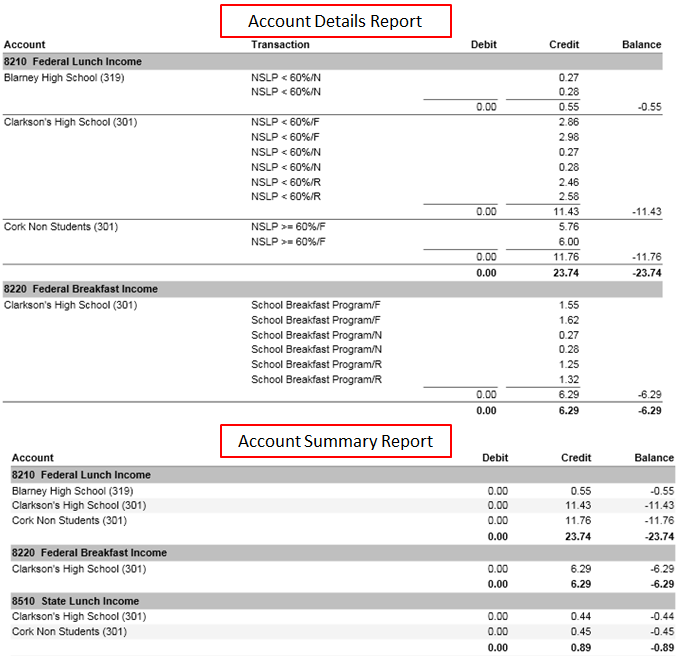
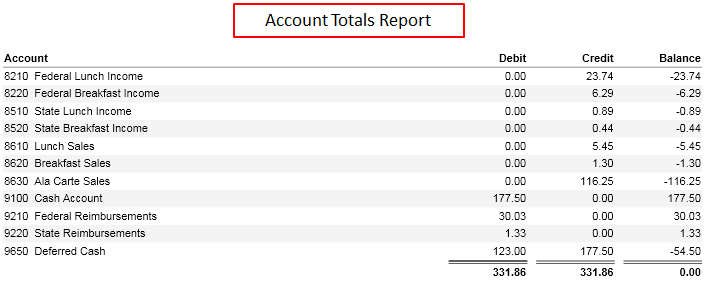
Food Service Accounting Reports are built into the Accounting application and generate Credit and Debit information in detail, summary, and totals reports.
Report Options
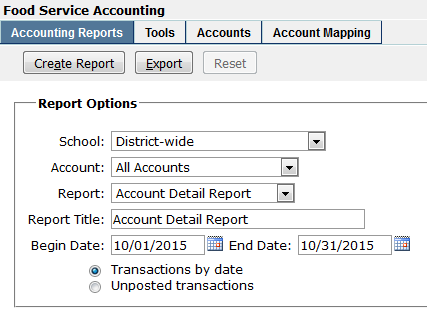
The Report Options allow the user to filter for the data needed by:
- School – Select district-wide or school site.
- Account – Reports can be generated for each individual account or as a single inclusive report.
- Date Range
- Transactions by date or Unposted transactions