
Setting up Student Health documents is a quick process that has only 2 steps.
- In Lookup Code Editor for Document Type, create the code and description of what types of Health Document Types the district wants. Below is an example.
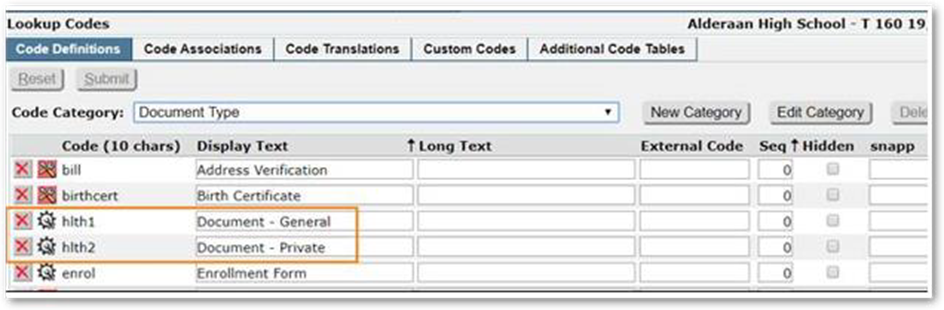
- Once the above has been added, go to the Code Associations Tab within the Lookup Code Editor and select DocumentType_Health and Add the document type codes that were added from the first step.
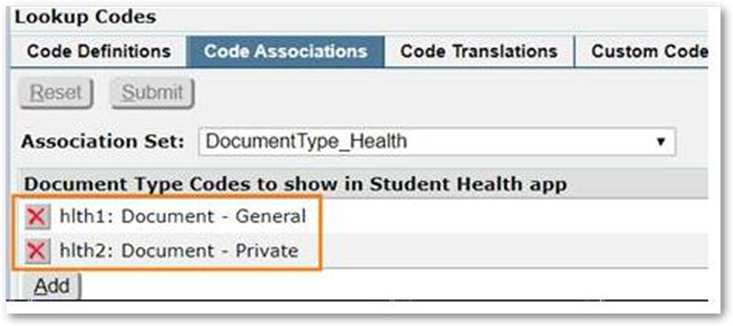
- Note: Only one type of document is necessary. This example shows both a general, and a private. The Private document can be permissioned to only show to specific roles in the Permission Editor.
Adding Health Documents
In the Health Documents Section select ADD. Then fill out the required sections, and any other information. Select to choose the document file that you would like to upload.
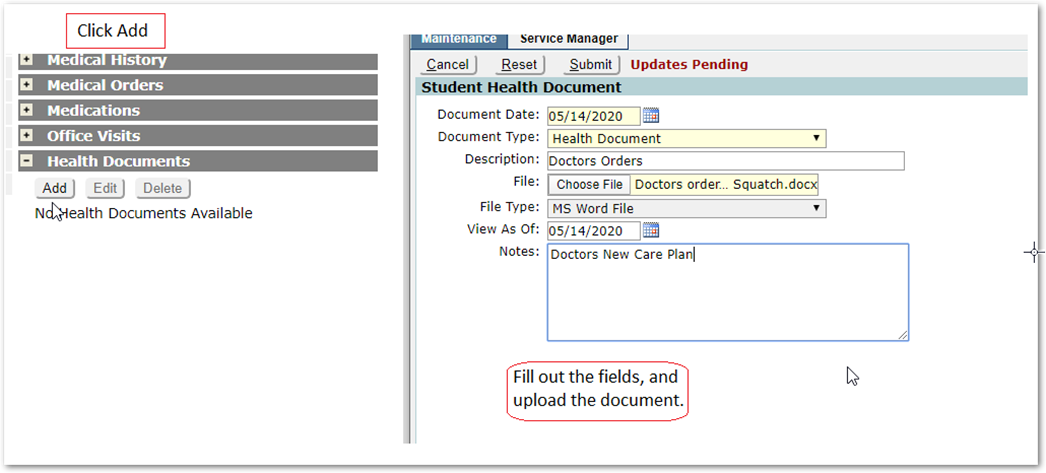
The Document will be available for viewing and printing.
