I’ve been there. I was once in a position where I had a piece of software that could do mass letters and emails. It would save time, but the idea of recreating dozens and dozens of premade Word documents into a new system was daunting.
Here’s a trick that can use your old templates to get you 90-95% of the way there without starting from scratch! For this example, I am using the Mail Merge function, but this could also be used in:
- Report Card Setup
- School News
- School Announcements
- Reports with Message Editor (Behavior Letters, Truancy Tracking, etc.)
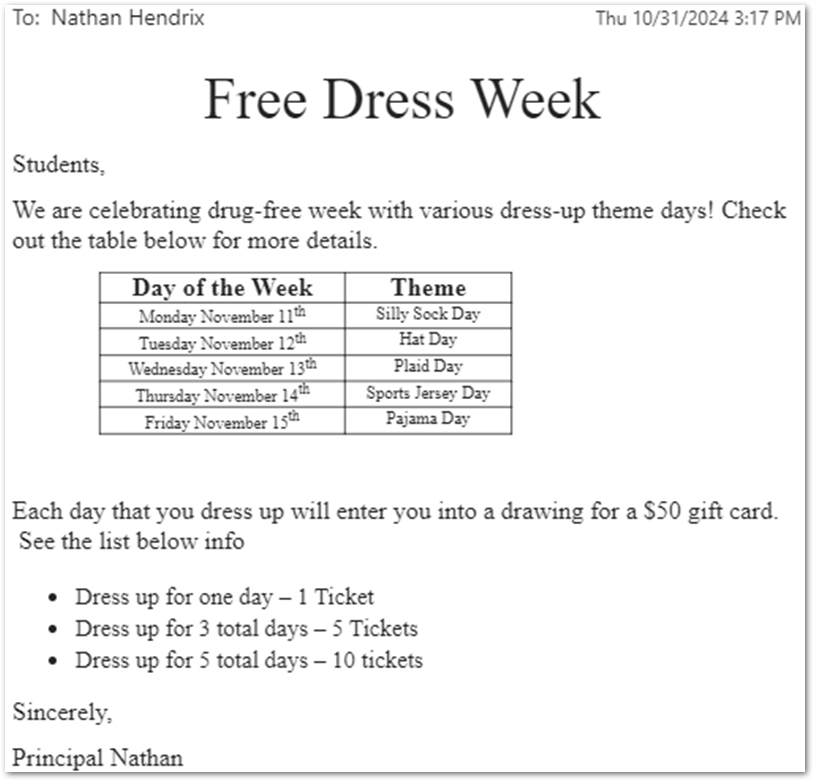
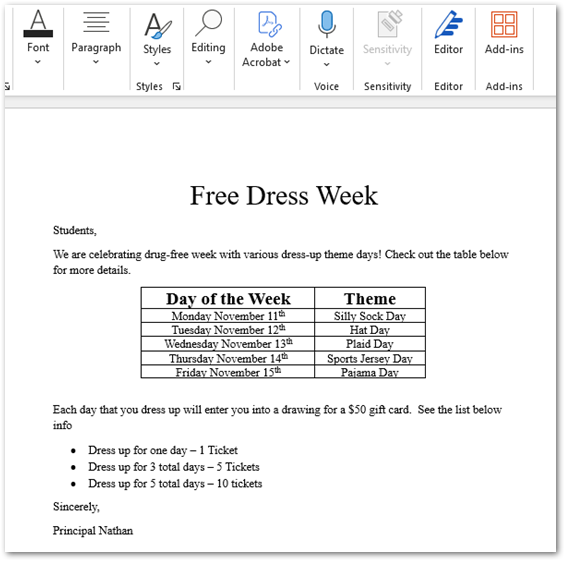
Here’s a mock letter template for a Drug-Free Week Printed Letter. But I will show you how this can work for both letters and emails.
Let’s see how I could get this email or letter template from Word into Q.
If I am in a TinyMCE text editor, like in Mail Merge, the following icon will appear
 That < > icon represents Source Code. As you create emails or letters in this text box, it generates HTML code behind the scenes. We can use this to our advantage to import our premade letters into Word.
To do this, we can use a WORD to HTML tool, such as https://wordtohtml.net/
Let’s test this out!
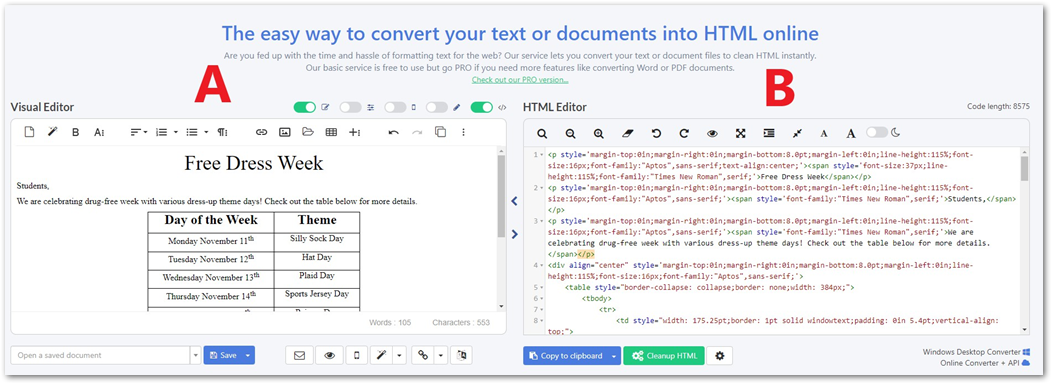
Start by copying your Word Document and then pasting it into Box A. You will see that it recreates your document in Box A and then generates HTML code in Box B. Go ahead and copy all that code from Box B!
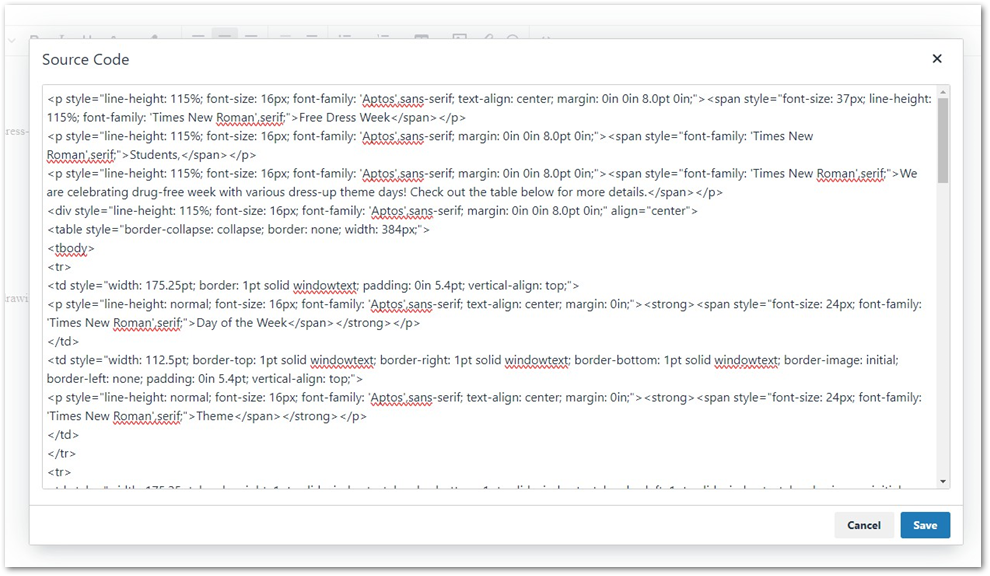
Now click the <> Icon on our Q screen and paste the code in the box. Now click Save!
It will have recreated your template letter! From my experience, this tends to be 90% accurate. You may need to make some small adjustments, but at least it can alleviate the stress of remaking multiple complex letters!
Below is what my example looks like in the editor. You can see that everything copies over except the bullet points are one size smaller. I can increase that with a couple of clicks and now my old template is converted!
Also, on the pages following this example, you will find my letter and email output when I tested them.
Mail Merge
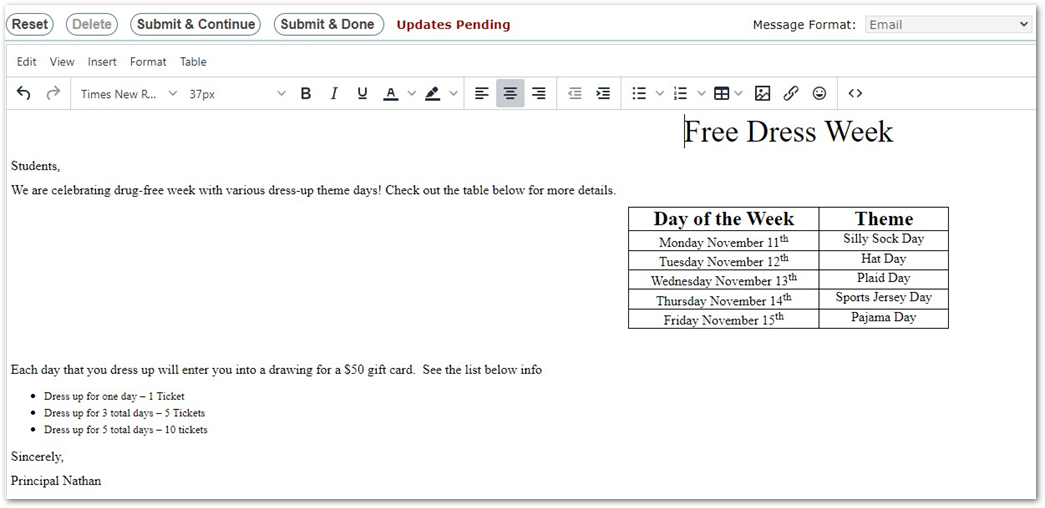
Printed Letter Text
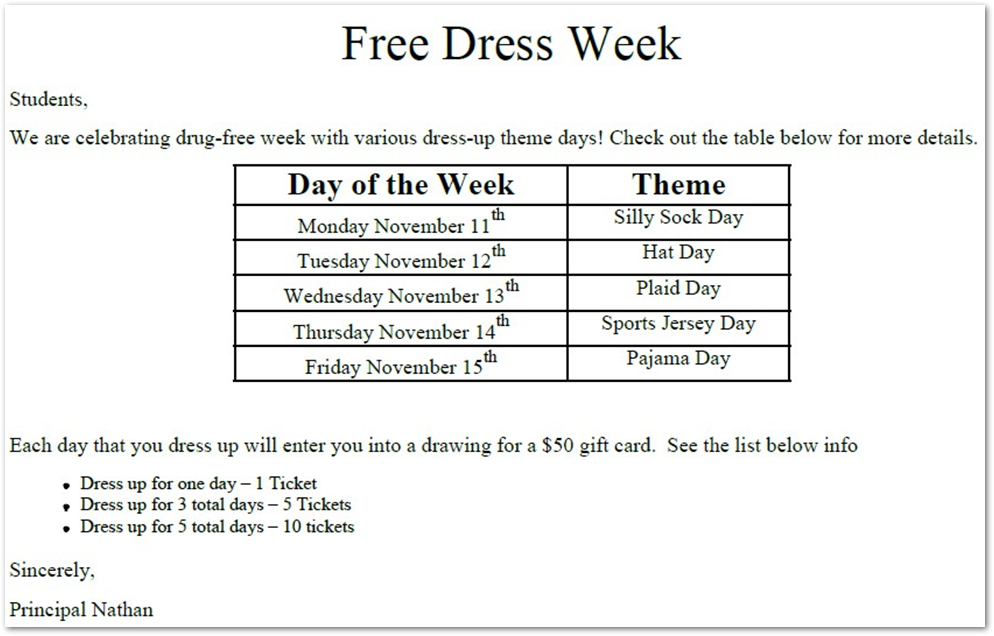
Email Output